SUPERCHARGE YOUR ONLINE VISIBILITY! CONTACT US AND LET’S ACHIEVE EXCELLENCE TOGETHER!
Introduction: Why a Simple .json File Can Matter More Than You Think
Most website owners think of indexing in a very familiar way. They publish a service page, a product page, a blog post, or a landing page, then wait for Google to crawl it. If the page is good, useful, and technically accessible, it stands a fair chance of appearing in search results.
But what happens when the file you want Google to discover is not a normal web page?
What happens when it is a .json file?
This is where things become interesting.
A .json file is not written for people in the same way a blog post or service page is written. It is usually written for browsers, applications, APIs, search engines, data feeds, schema markup, product systems, mobile apps, dynamic websites, and other machines that need structured information. Yet, in modern SEO, structured information has become extremely valuable.
That is why businesses, developers, SEO teams, SaaS platforms, eCommerce brands, publishers, and enterprise websites often ask one important question:
How do I index a .json file of a website?
The answer is not as simple as “submit it to Google and wait.”
A .json file can be crawled. It can sometimes be indexed. It can be discovered through links, sitemaps, server responses, and crawl paths. But whether it should be indexed, how it should be presented, and what business value it creates depends on your goal.
At ThatWare, we often look at JSON indexing from a deeper strategic perspective. It is not just about getting a file seen by Google. It is about asking why that file exists, what information it carries, how search engines interpret it, whether it strengthens your crawl ecosystem, and how it supports the larger revenue journey.
A JSON file sitting alone on a server may not generate leads. A JSON file connected to structured data, internal linking, crawl optimization, entity SEO, product feeds, app indexing, JavaScript rendering, or technical SEO architecture can support growth.
That is the difference between a technical task and a search visibility strategy.
This guide explains how to index a .json file of a website in a practical, business-focused way. You will learn what JSON files are, when indexing them makes sense, how Google finds them, how to make them crawlable, how to submit them properly, what mistakes to avoid, and how ThatWare approaches JSON indexing as part of advanced SEO.
If you are a business owner, SEO manager, developer, marketing head, SaaS founder, eCommerce operator, or agency decision-maker, this guide will help you understand the topic without getting lost in technical noise.
Let us begin with the foundation.
What Is a .json File?
JSON stands for JavaScript Object Notation. It is a lightweight format used to store and exchange structured data.
A JSON file usually contains information in key-value pairs. For example:
{
“name”: “ThatWare”,
“service”: “Advanced SEO”,
“location”: “Global”,
“focus”: “AI-driven digital growth”
}
To a human reader, this looks simple. To a machine, it is highly organized.
That is the main reason JSON is used across modern websites. It helps systems share information cleanly. Websites use JSON for product data, application settings, API responses, structured data, search features, pricing information, job listings, local business details, content feeds, and many other purposes.
A .json file may appear in URLs like:
https://www.example.com/data.json
https://www.example.com/products.json
https://www.example.com/api/services.json
https://www.example.com/schema/local-business.json
Some JSON files are meant to be public. Some are not.
That distinction is very important.
Before you try to index a JSON file, you need to know whether the file should be visible to search engines at all. A public product feed may help discovery. A private configuration file may create a security risk. A schema file may support semantic clarity. An API response with thin or duplicate data may waste crawl budget.
Good SEO is not about forcing everything into Google. Good SEO is about helping search engines discover the right assets, understand the right relationships, and prioritize the right content.
Can Google Index a .json File?
Yes, Google can crawl many types of files if they are publicly accessible and not blocked. A JSON URL can be discovered by Googlebot if it is linked, included in a sitemap, referenced from a page, or submitted through Google Search Console.
However, indexing is different from crawling.
Crawling means Googlebot visits the URL.
Indexing means Google stores and may show that URL in search results.
Ranking means the URL appears for relevant searches.
A .json file may be crawled but not indexed. It may be indexed but not rank. It may be visible in Google only through a direct search. It may be ignored if Google sees little value for search users.
This is why marketers should not treat JSON indexing as a vanity task.
The better question is not:
“How do we make Google index this file?”
The better question is:
“What role should this JSON file play in our search ecosystem?”
For example:
A JSON-LD schema block embedded in an HTML page can help Google understand entities, products, services, reviews, FAQs, organization details, breadcrumbs, events, videos, and more.
A public product JSON feed can help internal systems, partner platforms, and sometimes search discovery workflows.
A standalone JSON endpoint may help if it provides unique, useful, accessible, and crawlable information.
A JSON sitemap is not the standard sitemap format for Google. XML sitemaps are generally preferred for sitemap submission. So if your goal is URL discovery, you usually want XML, RSS, Atom, or supported sitemap formats rather than a custom JSON sitemap.
A headless CMS may serve content through JSON, but Google still needs crawlable, renderable, indexable pages that users can access.
So yes, a .json file can be crawled and sometimes indexed. But the business value comes from using it correctly.
Why Would a Business Want to Index a .json File?
Not every JSON file deserves indexing. But there are cases where JSON visibility matters.
Here are some business scenarios where JSON files become important.
1. You Run a Dynamic Website
Modern websites often load content through JavaScript. Instead of placing all content directly in HTML, the browser fetches data from JSON endpoints.
If Google cannot access those endpoints, it may struggle to understand parts of the page. This can affect visibility, especially when important product descriptions, service details, reviews, pricing, or availability data are loaded dynamically.
For a business, this is not just a development issue. It is a revenue issue.
If your most important content is hidden behind blocked scripts or inaccessible JSON endpoints, your search performance can suffer.
2. You Use Structured Data
JSON-LD is one of the most common ways to add structured data to web pages. It helps search engines understand what your content represents.
For example, a service page can include structured data about the organization, service, location, reviews, FAQs, breadcrumbs, and contact information.
This can improve eligibility for enhanced search appearances when implemented correctly.
ThatWare often treats structured data as a strategic layer, not a checklist item. The goal is not simply to paste schema into a page. The goal is to build stronger connections between your brand, services, topical authority, and user intent.
3. You Have Product or Inventory Feeds
eCommerce websites may use JSON feeds for product information. These files can include names, prices, categories, availability, images, variants, SKUs, and descriptions.
When properly managed, this data can support SEO, paid campaigns, shopping integrations, marketplace visibility, and internal search.
If the feed is public and useful, you may want search engines or partner systems to access it. If it is incomplete, duplicate, or sensitive, you may want to control access.
4. You Use a Headless CMS
Headless websites separate the content management system from the front-end presentation layer. Content may be stored and delivered through APIs, often in JSON.
This setup can be powerful, but it can also create indexing problems if the website is not built with SEO in mind.
A beautifully designed headless website can still underperform if search engines cannot discover rendered pages, canonical URLs, metadata, structured data, and internal links.
5. You Want Better Entity Understanding
Search engines increasingly rely on structured understanding. They do not only read words. They interpret entities, relationships, attributes, categories, and context.
JSON, especially JSON-LD, can help clarify those relationships.
For example, ThatWare is not just a website name. It can be described as a digital marketing and SEO brand, connected to services, industries, case studies, locations, authors, knowledge areas, and client outcomes.
When this data is structured properly, it can support a stronger semantic SEO footprint.
6. You Need Better Crawl Efficiency
Large websites often have thousands or millions of URLs. Search engines have limited crawl resources. If your important URLs are hard to discover, buried deep, or dependent on scripts, crawl efficiency suffers.
JSON files can either help or hurt this process.
A clean architecture helps Google find what matters. A messy architecture sends crawlers into low-value endpoints, duplicate data, empty responses, filtered URLs, and unnecessary technical files.
ThatWare’s approach focuses on making crawl paths commercially intelligent. Search engines should spend more time on pages and assets that support business growth.
Should You Index the .json File or the Page That Uses It?
This is one of the most important questions in this entire topic.
In most SEO cases, you do not actually want the standalone .json file to rank in Google.
You want the HTML page that uses the JSON data to rank.
Why?
Because users do not usually want to land on a raw JSON file. They want a readable page, a product listing, a guide, a comparison, a service page, a pricing page, or a helpful resource.
A raw JSON file may look confusing to a normal user. It may not contain branding, design, navigation, conversion elements, trust signals, calls to action, or lead capture.
From a sales and marketing perspective, that is a problem.
Traffic without experience is wasted traffic.
If a user lands on a JSON file, what will they do next? There may be no headline, no explanation, no offer, no contact form, no proof, no pathway to purchase.
This is why ThatWare usually recommends indexing the user-facing page and making sure the JSON supports that page.
For example:
Do not try to rank:
https://www.example.com/api/service-data.json
Instead, rank:
https://www.example.com/services/technical-seo
Then use JSON-LD and crawlable data to help Google understand the page better.
There are exceptions. Some JSON files are public data resources. Some developer-focused websites may want API documentation or data endpoints discoverable. Some tools may offer downloadable structured files. Some government, research, finance, or data platforms may benefit from indexable JSON assets.
But for most commercial websites, the page should be the hero. The JSON file should be the support system.
How Google Discovers a .json File
Google can discover a .json file in several ways.
Through Internal Links
If a page links to a JSON file using a normal hyperlink, Google may discover it.
Example:
<a href=”/data/services.json”>View service data</a>
This is simple, but not always ideal. If the file is not meant for users, you may not want to place a visible link on a public page.
Through JavaScript References
A web page may request a JSON file through JavaScript.
Example:
fetch(‘/data/products.json’)
Google may process JavaScript, but relying only on JavaScript discovery can be risky if the content is important. Rendering can take more resources, and blocked scripts can create issues.
Through Sitemaps
You can include URLs in an XML sitemap to help Google discover them. A sitemap does not guarantee indexing, but it can help with discovery.
If a JSON file is important and public, adding its URL to a sitemap may help Google find it. However, for most SEO purposes, you should include the canonical HTML pages that use the JSON data.
Through External Links
If another website links to your JSON file, Google may discover it.
This is common with public data files, open datasets, API samples, plugin files, or developer resources.
Through Server Logs and Crawl Paths
Googlebot follows accessible paths across your site. If JSON endpoints are referenced in ways that Google can see, they may appear in crawl logs.
Server log analysis can show whether Googlebot is requesting those files, how often it requests them, and whether it receives successful responses.
ThatWare often uses log file analysis to separate assumptions from reality. You may think Google is crawling a file, but logs can show whether it actually is.
Step-by-Step Guide: How to Index a .json File of a Website
Now let us get practical.
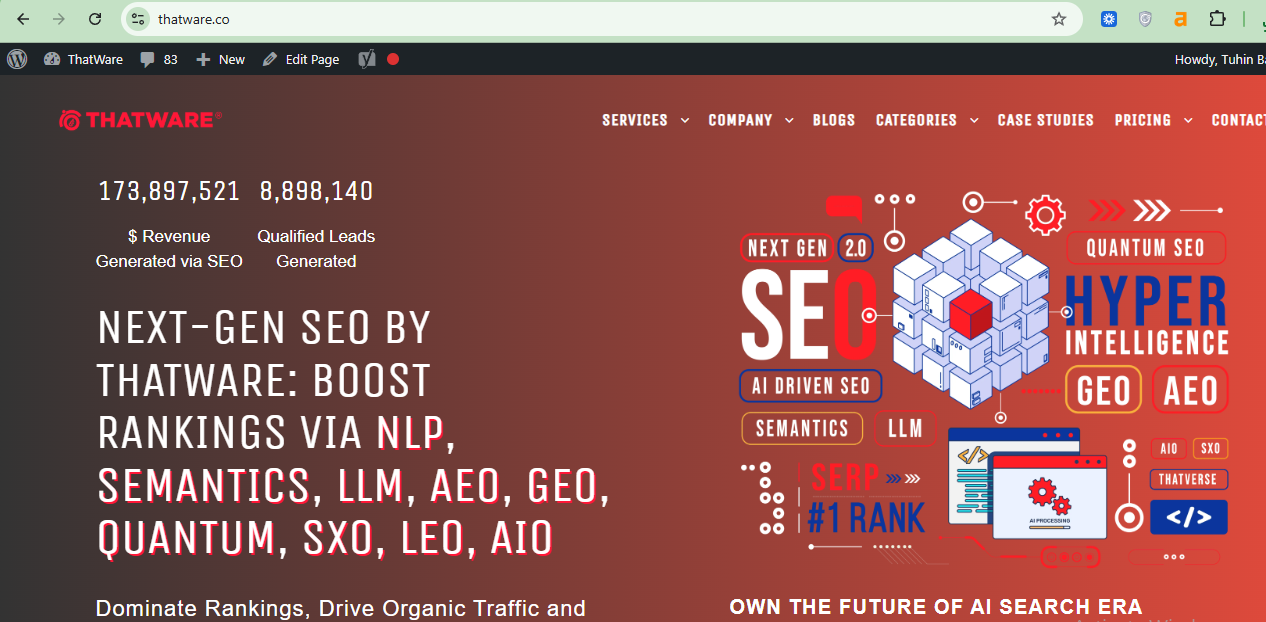
Press F12 to see chromedev options as follows:
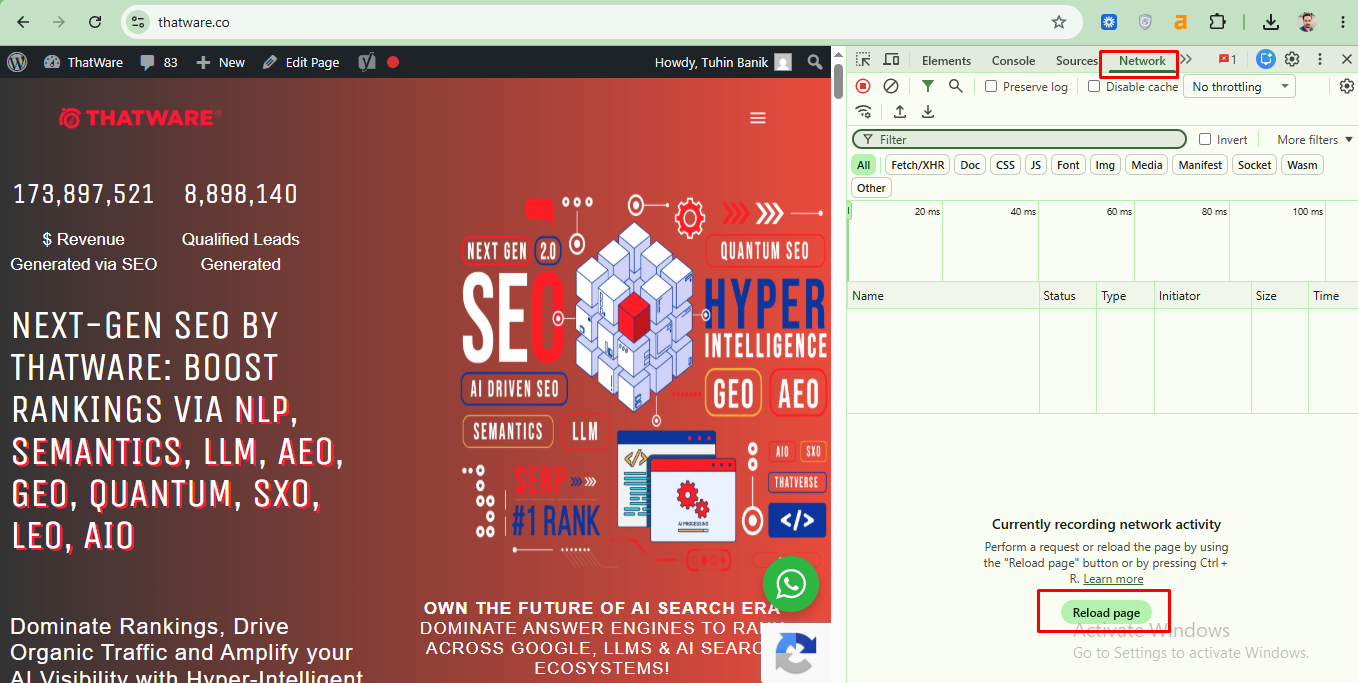
Then click on Network and reload page as shown above.
Check whether all status codes return to 200 for the important files as shown here:
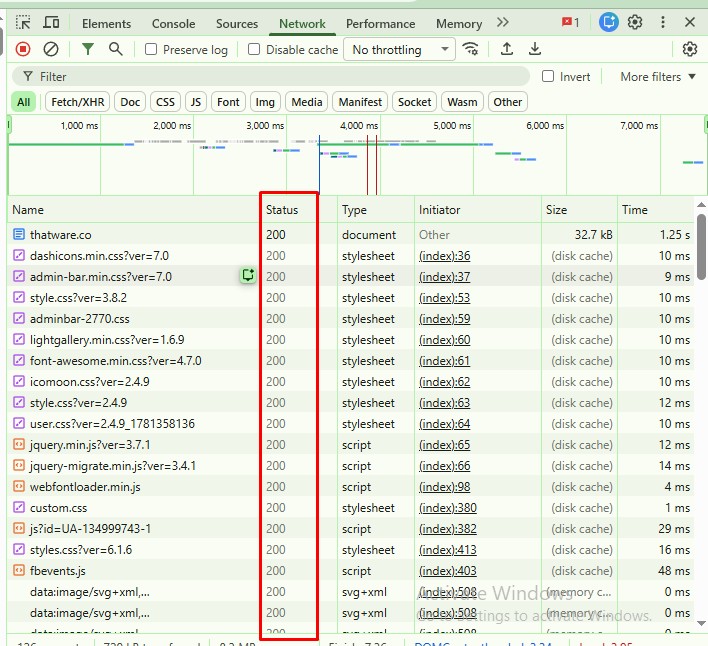
now check the header files as shown below:
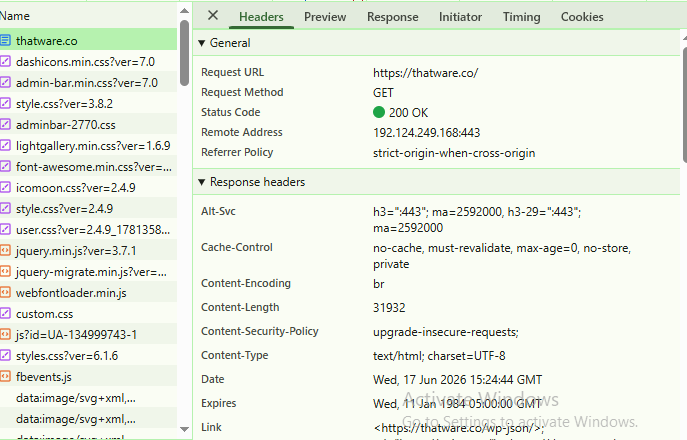
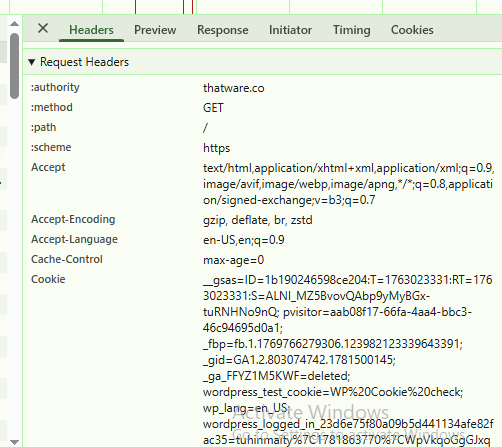
The Final Verdict After Inspection
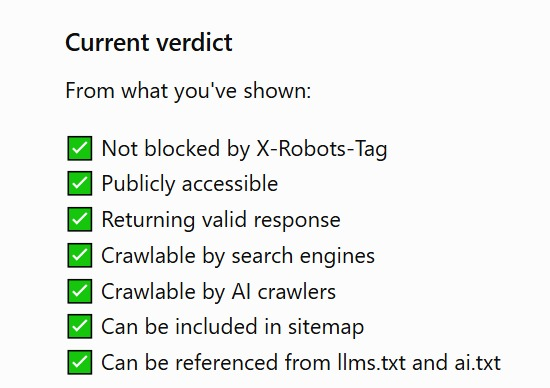
If you have a .json file and you want Google to discover or index it, follow these steps carefully.
Step 1: Decide Whether the JSON File Should Be Public
Before doing anything technical, review the file.
Ask these questions:
Does the file contain private data?
Does it expose API keys, tokens, internal IDs, staging URLs, customer information, pricing logic, unpublished content, or business-sensitive details?
Is it useful to users?
Is it unique?
Is it connected to a page that should rank?
Could it create duplicate or thin indexed content?
Would a visitor understand the file if they landed on it from Google?
If the file contains sensitive information, do not index it. Block access, secure it, remove it from public paths, or require authentication.
If the file is public but not useful as a search result, let Google crawl it only if needed for rendering or understanding. Do not push it aggressively for indexing.
If the file is public, useful, and strategically relevant, continue.
Step 2: Make Sure the File Has a Clean Public URL
Your JSON file needs a stable URL.
Good example:
https://www.thatware.co/data/seo-services.json
Weak example:
https://www.thatware.co/api/temp?id=48923&session=abc
A clean URL is easier to manage, audit, link, monitor, and include in a sitemap.
Use a permanent URL when possible. Avoid session IDs, temporary parameters, changing tokens, and unstable paths.
If the file changes often, keep the URL stable and update the content inside the file. Do not create a new URL every time unless there is a strong reason.
Step 3: Return the Correct HTTP Status Code
The file should return a 200 OK status if it is available.
Avoid these common issues:
404 Not Found
403 Forbidden
500 Server Error
302 redirects that lead to inconsistent destinations
Soft 404 responses
Blocked CDN responses
Authentication screens
Geo-blocked responses
Bot-blocked responses
Googlebot needs to access the file reliably. If your server blocks bots, rate-limits Googlebot too aggressively, or serves different content to crawlers, indexing may fail.
You can test the URL in a browser, using curl, using server logs, or through Google Search Console’s URL Inspection tool.
Step 4: Use the Correct Content-Type Header
A JSON file should usually be served with:
Content-Type: application/json
Some servers serve JSON as plain text. The file may still load, but correct headers help browsers, systems, and crawlers understand the resource.
Good technical hygiene supports trust. It also reduces ambiguity.
For marketing teams, this may sound small. But small technical issues often create large visibility problems when they happen at scale.
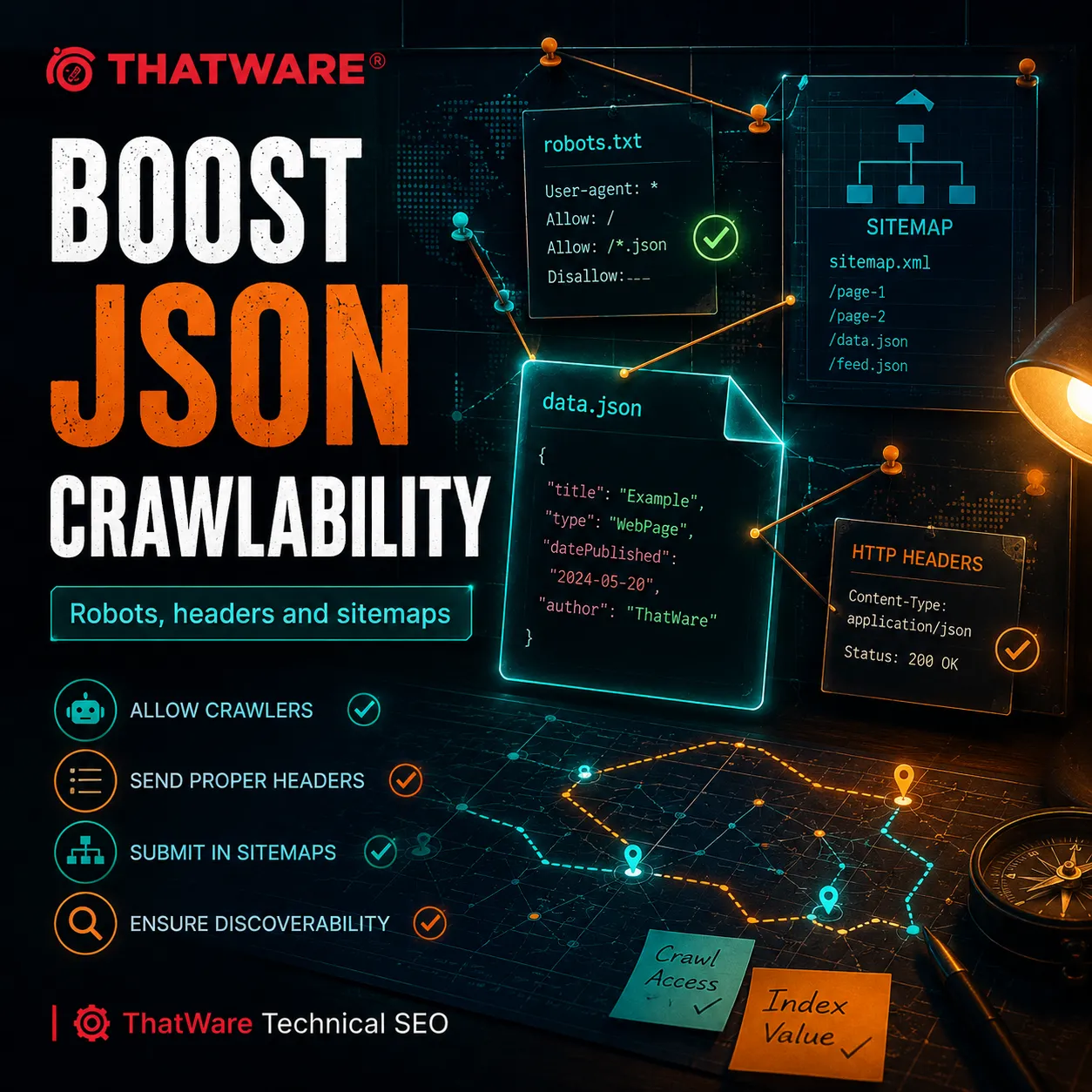
Step 5: Check robots.txt
Your robots.txt file tells crawlers which areas they may or may not crawl.
A common mistake is blocking folders that contain important JSON files.
Example:
User-agent: *
Disallow: /api/
If your JSON file is located here:
https://www.example.com/api/products.json
Then the above rule may block Googlebot from crawling it.
If the file must be accessible, adjust your robots.txt rules carefully.
Example:
User-agent: *
Allow: /api/products.json
Disallow: /api/
Be careful with this. You may want one JSON file crawlable while keeping other API paths blocked. A careless change can expose low-value or sensitive endpoints.
This is where technical SEO and development teams should work together.
Step 6: Make Sure the File Is Not Noindexed Through HTTP Headers
HTML pages can use meta robots tags. Non-HTML files can use HTTP headers such as X-Robots-Tag.
If a JSON file has this header:
X-Robots-Tag: noindex
Google may avoid indexing it.
If your goal is to allow indexing, remove the noindex directive.
If your goal is only to allow crawling for rendering, but not indexing, then keeping noindex may be appropriate.
This is a strategic decision.
Crawlable does not always need to mean indexable.
Step 7: Link to the JSON File From a Relevant Page
Google discovers URLs through links.
If you want a JSON file discovered, link to it from a relevant crawlable page.
For example, a developer documentation page could link to a public JSON example:
<a href=”https://www.example.com/data/sample-product-feed.json”>
Download sample product feed</a>
This makes sense because the link is useful to users.
Avoid adding random hidden links only for search engines. Your linking should have a user purpose.
A good rule is simple:
If you would not want a real visitor to click it, think twice before making it part of your SEO strategy.
Step 8: Add the JSON URL to an XML Sitemap When It Makes Sense
If the JSON file is a valuable public asset, you can include it in an XML sitemap.
Example:
<url>
<loc>https://www.example.com/data/sample-product-feed.json</loc>
<lastmod>2026-06-17</lastmod>
</url>
Then submit the sitemap in Google Search Console.
However, remember this point:
A sitemap helps discovery. It does not force indexing.
Google still decides whether the URL is worth indexing.
For most commercial websites, your sitemap should prioritize important HTML pages. Include JSON files only when they support a real search purpose.
Step 9: Submit the URL in Google Search Console
Use Google Search Console’s URL Inspection tool.
Enter the JSON URL.
Check whether Google can access it.
Request indexing if the option is available.
Review coverage information, crawl status, and indexing details.
This is useful for testing, but do not rely on manual submission as your main strategy. Strong sites get discovered naturally through architecture, links, sitemaps, and consistent crawl paths.
Manual submission is a useful trigger. It is not a growth system.
Step 10: Monitor Server Logs
Server logs show what crawlers actually do.
Check whether Googlebot requested the JSON file.
Look for:
Status code
Crawl frequency
User agent
Response size
Blocked requests
Redirect chains
Errors
Unexpected bot behavior
If Googlebot never visits the file, discovery is weak.
If Googlebot visits but receives errors, technical access is broken.
If Googlebot visits constantly but the file has no SEO value, crawl budget may be wasted.
Server logs turn SEO from guesswork into evidence.
Step 11: Improve the User-Facing Page That Uses the JSON
This is where marketing matters.
If your JSON file supports a page, make that page worth indexing and ranking.
Add clear headings.
Write helpful copy.
Include unique insights.
Make the content crawlable.
Use internal links.
Add trust signals.
Include FAQs.
Show proof.
Improve page speed.
Use structured data properly.
Add conversion elements.
A JSON file alone rarely creates revenue. A strong page supported by clean structured data can generate traffic, leads, and sales.
ThatWare’s approach looks beyond technical indexing. The goal is to turn search visibility into measurable business value.
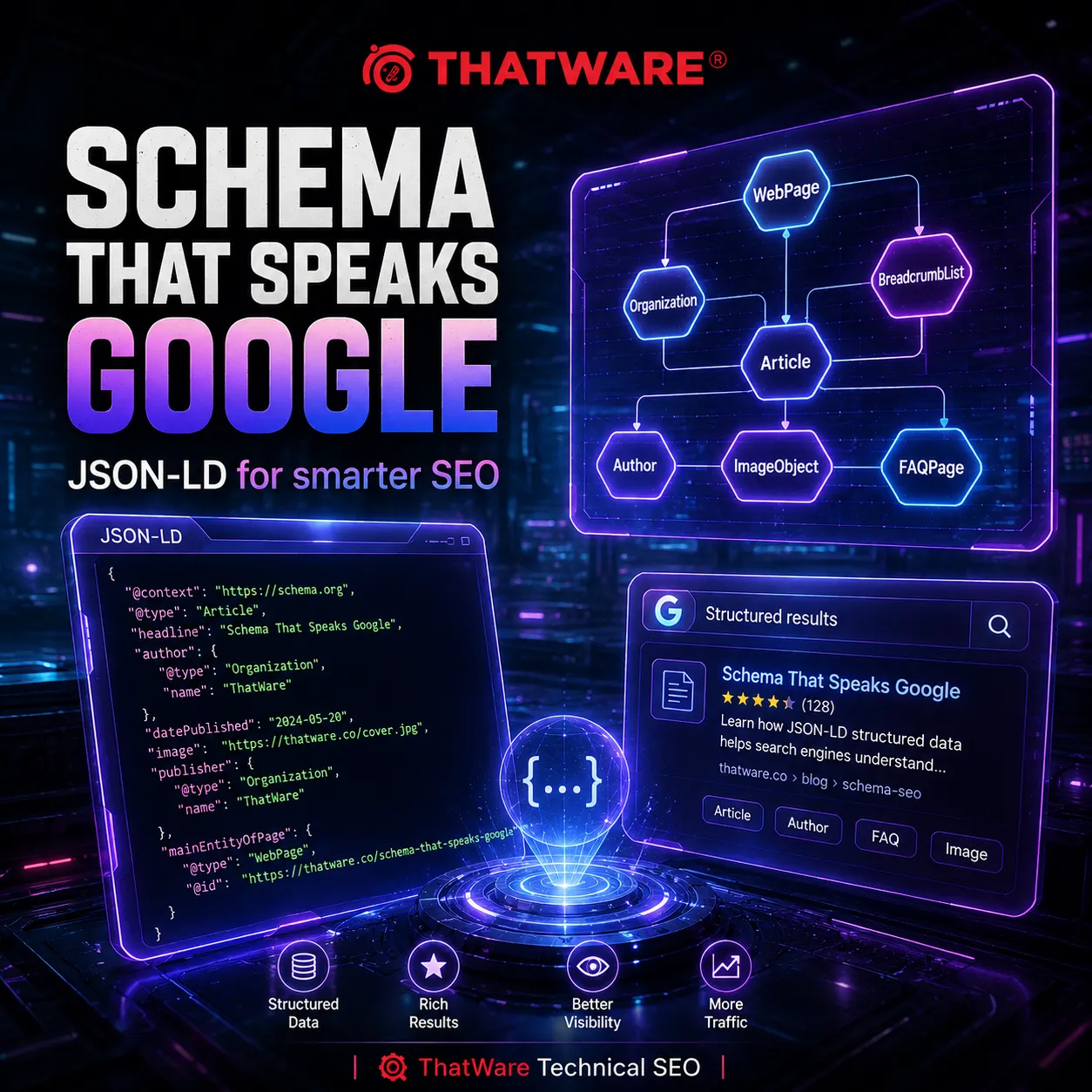
Step 12: Use JSON-LD for Structured Data Instead of Trying to Rank Raw JSON
If your real goal is SEO performance, JSON-LD is often more valuable than a standalone .json file.
JSON-LD is placed inside an HTML page in a script tag.
Example:
<script type=”application/ld+json”>
{
“@context”: “https://schema.org”,
“@type”: “Organization”,
“name”: “ThatWare”,
“url”: “https://www.thatware.co/”
}
</script>
This helps search engines understand the page and the entity behind it.
For a business like ThatWare, structured data can support brand clarity, service relevance, local signals, author information, article context, breadcrumbs, FAQs, and more.
It does not guarantee rich results, but it can improve eligibility when the page meets the right guidelines.
Common Mistakes When Trying to Index a .json File
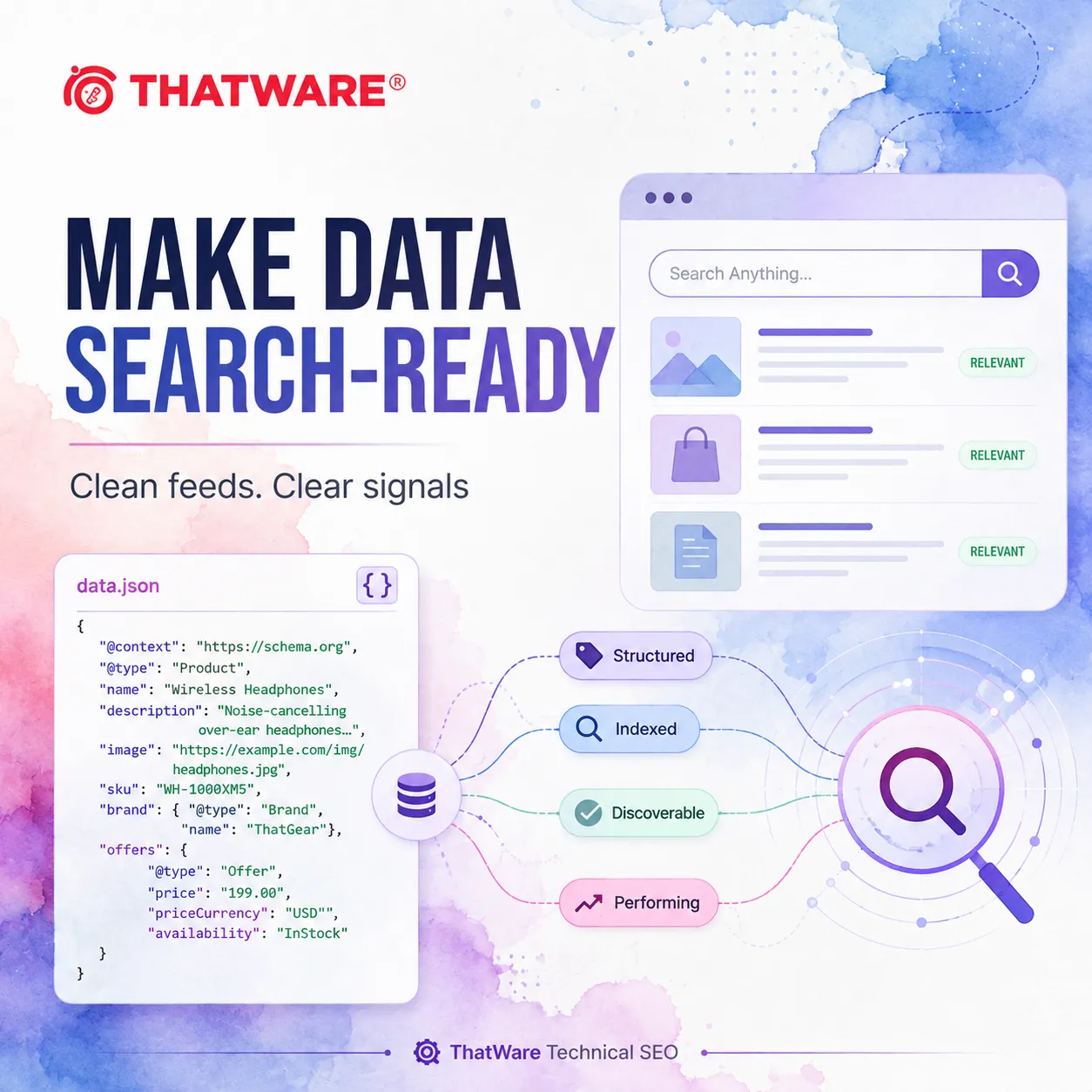
Many websites fail at JSON indexing because they focus on the wrong thing.
Here are the mistakes to avoid.
Mistake 1: Trying to Index Private API Responses
Some businesses expose API endpoints without realizing what is inside them.
A JSON file may reveal more than expected.
Before allowing indexing, check for:
Customer data
Internal pricing
Draft content
Security tokens
User IDs
Backend routes
Testing data
Confidential business logic
If the file is not meant for public users, secure it.
SEO should never come at the cost of data safety.
Mistake 2: Blocking the File in robots.txt
Developers often block /api/, /assets/, /static/, or /data/ folders to reduce crawler noise.
That can be useful, but it can also block important resources.
If Google needs a JSON file to render important content, blocking it may hurt performance.
Always audit robots.txt before blaming Google for indexing problems.
Mistake 3: Expecting a Raw JSON File to Rank Like a Blog Post
A raw JSON file has no persuasive copy, no design, no call to action, and no user experience.
Even if it gets indexed, it may not perform commercially.
For search-driven growth, the user-facing page should usually be the ranking asset.
The JSON should support discovery, understanding, and functionality.
Mistake 4: Creating a JSON Sitemap Instead of an XML Sitemap
Some teams create a custom JSON list of URLs and assume Google will treat it like a sitemap.
That is risky.
Google’s standard sitemap workflows are based on supported sitemap formats such as XML and other accepted formats. If you want reliable sitemap discovery, use supported formats.
A JSON file can list URLs for your internal systems, but do not assume it replaces a proper XML sitemap.
Mistake 5: Serving JSON With the Wrong Status Code
A file that looks fine in your CMS may return an error to crawlers.
This can happen because of CDN rules, firewall settings, authentication, bot protection, or server misconfiguration.
Always test the live URL.
Mistake 6: Forgetting About Canonical Pages
If the same information appears in JSON and HTML, Google may prefer the HTML page or ignore the JSON.
That is usually fine.
But you need to make sure the HTML page is canonical, complete, and valuable.
Do not split your SEO signals across raw files and weak pages.
Mistake 7: No Internal Linking Strategy
A JSON file buried in the backend may never be found.
A strong internal linking structure helps Google understand what matters.
For commercial SEO, internal links should guide both users and search engines toward pages that create business outcomes.
Mistake 8: Using JSON-LD That Does Not Match Page Content
Structured data should reflect visible page content.
If your page says one thing and your JSON-LD says another, that creates trust issues.
Keep schema accurate, relevant, and aligned with the page.
The Best SEO Strategy: Index Pages, Expose Data Carefully, Structure Everything
Here is the strategic truth.
You usually do not win SEO by indexing random JSON files.
You win SEO by building a clean information ecosystem.
That ecosystem includes:
Crawlable HTML pages
Proper internal links
Accurate XML sitemaps
Accessible resources
Clean JavaScript rendering
Useful structured data
Secure API practices
Strong content
Clear entity signals
Conversion-focused page design
Google should not have to fight your website to understand it.
Users should not have to fight your website to trust it.
Search engines and customers both reward clarity.
That is why ThatWare approaches JSON indexing through three layers.
Layer 1: Technical Accessibility
Can Googlebot access the file or the page?
Are important resources blocked?
Are the status codes correct?
Are headers correct?
Are the sitemap and robots.txt files configured properly?
Does the site render important content?
Technical accessibility is the foundation.
Without it, even great content may remain invisible.
Layer 2: Semantic Understanding
Does Google understand what the data means?
Is structured data implemented correctly?
Are entities connected?
Are products, services, locations, authors, and categories clearly defined?
Is the JSON-LD consistent with the visible page?
Semantic understanding helps search engines interpret your website more confidently.
Layer 3: Commercial Intent
Does the page satisfy user intent?
Does it move visitors toward action?
Does it explain the offer clearly?
Does it build trust?
Does it answer buying questions?
Does it support leads, calls, demos, purchases, or inquiries?
Commercial intent turns indexing into growth.
Traffic is not the final goal. Revenue is.
How to Index JSON-LD Structured Data Properly
Many people confuse .json files with JSON-LD structured data.
They are related, but not the same.
A .json file is usually a standalone file.
JSON-LD is structured data written in JSON format and embedded inside an HTML page.
If your goal is to help Google understand a page, use JSON-LD inside the page.
Here is a practical workflow.
Step 1: Choose the Right Schema Type
Pick schema based on the page.
For a homepage, use Organization or WebSite schema.
For a service page, use Service schema.
For a blog post, use Article or BlogPosting schema.
For an FAQ section, use FAQPage schema when appropriate.
For a local business page, use LocalBusiness schema.
For a product page, use Product schema.
Do not use schema just because it looks advanced. Use schema that matches the page.
Step 2: Add Accurate JSON-LD to the Page
Place the script in the page source or rendered HTML.
Example:
<script type=”application/ld+json”>
{
“@context”: “https://schema.org”,
“@type”: “Service”,
“name”: “Technical SEO Services”,
“provider”: {
“@type”: “Organization”,
“name”: “ThatWare”,
“url”: “https://www.thatware.co/”
},
“serviceType”: “Technical SEO”,
“description”: “Advanced technical SEO services focused on crawlability, indexing, structured data, and search performance.”
}
</script>
Step 3: Make Sure the Visible Page Supports the Schema
If the schema says the page offers technical SEO services, the visible page should clearly discuss technical SEO services.
If the schema lists FAQs, the page should include those FAQs.
If the schema includes reviews, make sure reviews are valid, genuine, and visible according to applicable guidelines.
Structured data is not a place to hide claims. It is a place to clarify visible reality.
Step 4: Test the Structured Data
Use Google’s rich result testing tools and schema validation tools.
Fix errors.
Review warnings.
Check whether the page is eligible for rich results.
A warning is not always fatal, but errors should be addressed.
Step 5: Request Indexing for the Page
Submit the page through Google Search Console if needed.
Again, focus on the page, not just the JSON-LD.
Google indexes pages. Structured data helps Google understand those pages.
How to Handle JSON Files on JavaScript Websites
JavaScript websites often depend heavily on JSON.
This can create SEO challenges.
Here is what to check.
Is the Main Content Present in the Initial HTML?
If your important content only appears after JavaScript fetches JSON, Google may still render it, but it can take more processing.
For important SEO pages, server-side rendering or static generation is often safer.
The goal is simple:
Google should see meaningful content quickly and reliably.
Are JSON Endpoints Blocked?
If your page needs /api/content.json to render service descriptions, but robots.txt blocks /api/, Google may not understand the final page properly.
Audit this carefully.
Does the Rendered Page Match What Users See?
Use rendering tests.
Compare raw HTML, rendered HTML, and browser view.
If Google sees a thin page but users see a rich page, your SEO may suffer.
Are Metadata and Canonicals Rendered Correctly?
Title tags, meta descriptions, canonical tags, hreflang tags, structured data, and internal links should be available reliably.
Do not leave critical SEO elements to unstable client-side rendering.
Are Pages Linkable?
Each important page should have its own clean URL.
Avoid hiding valuable content behind filters, tabs, scripts, or app states that do not create crawlable URLs.
A search engine cannot rank what it cannot identify as a stable destination.
How eCommerce Websites Should Think About JSON Indexing
For eCommerce websites, JSON files often contain product data.
This can include:
Product names
Prices
Availability
Descriptions
Categories
Ratings
Images
Variants
Shipping details
Specifications
For SEO, the product page should usually be the indexable asset.
But JSON still matters.
It can feed structured data.
It can support product schema.
It can power internal search.
It can update inventory.
It can support shopping integrations.
It can improve consistency across channels.
The mistake is treating JSON as a backend detail only.
In eCommerce, data quality affects search quality.
If product names are messy in JSON, they may appear messy across the site.
If availability is inconsistent, users lose trust.
If descriptions are thin, category pages underperform.
If product schema is incomplete, rich result eligibility may suffer.
ThatWare looks at product JSON as part of a larger revenue system. Clean product data supports SEO, paid media, marketplaces, conversion rate optimization, and customer experience.
How SaaS Websites Should Think About JSON Indexing
SaaS websites often use JSON for app content, documentation, changelogs, pricing, feature tables, integrations, and support centers.
The main SEO risk is hiding valuable information inside the app while public pages remain thin.
For example, a SaaS product may have excellent feature data in JSON, but the public feature page may only have a short headline and a signup button.
That is a missed opportunity.
Search users need context before conversion.
They want to know:
What does the product do?
Who is it for?
How does it compare?
What integrations does it support?
What problems does it solve?
What proof exists?
What happens after signup?
Your JSON data can support these pages, but the pages must be built for search intent.
For SaaS SEO, ThatWare often recommends turning structured product knowledge into indexable, helpful, conversion-ready pages.
How Local Businesses Should Think About JSON Indexing
Local businesses may not care about raw JSON files, but they should care deeply about JSON-LD structured data.
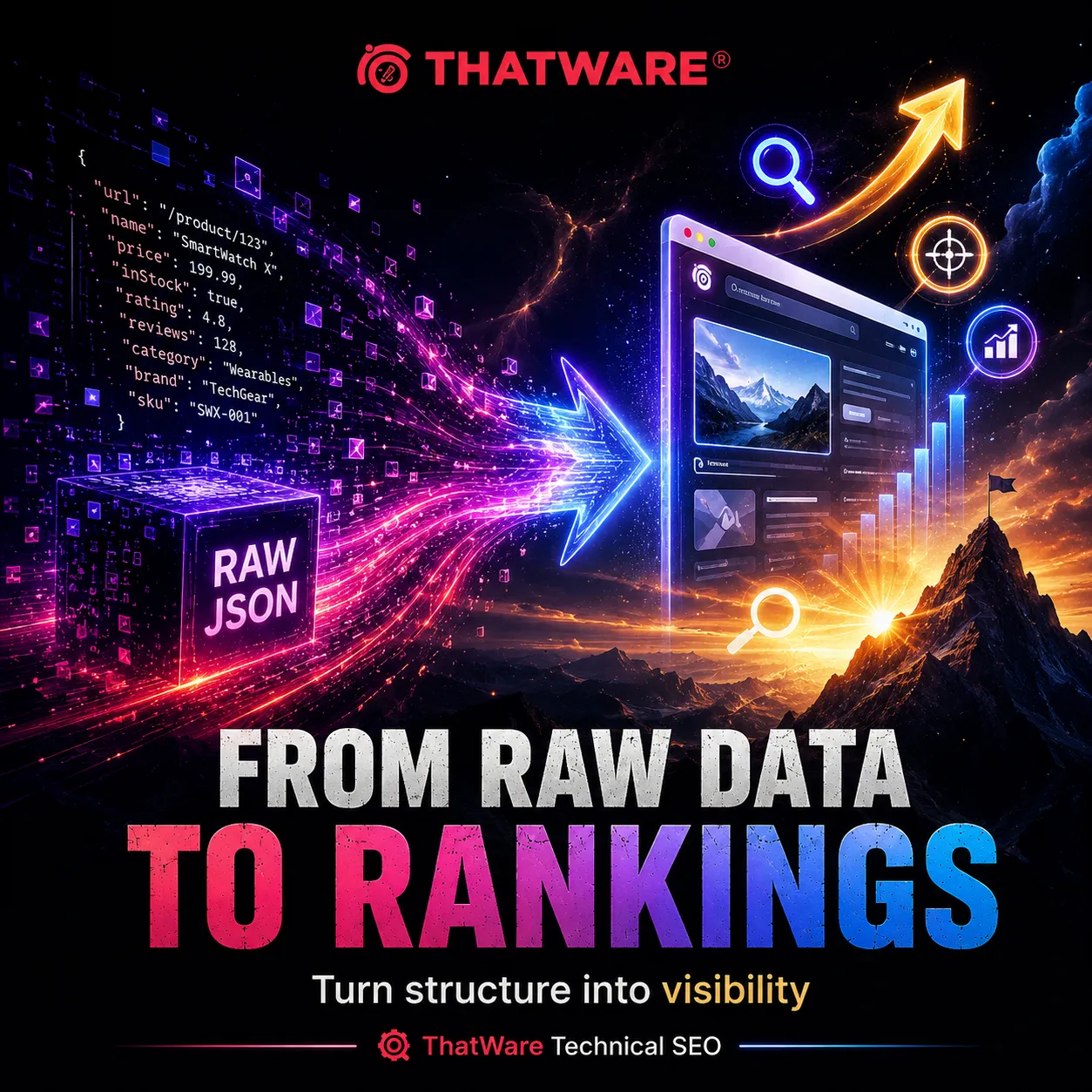
LocalBusiness schema can help clarify:
Business name
Address
Phone number
Opening hours
Service areas
Departments
Reviews
Map links
Services
Social profiles
For local SEO, consistency matters.
Your website, Google Business Profile, citations, schema, and page content should all tell the same story.
If the data is inconsistent, search engines may struggle to trust it.
A local service business can use JSON-LD to support stronger location relevance, service clarity, and brand confidence.
How Publishers Should Think About JSON Indexing
Publishers may use JSON feeds for articles, authors, categories, related content, video data, and news feeds.
The SEO priority is still the article page.
But structured data can help clarify:
Headline
Author
Date published
Date modified
Images
Publisher
Article section
Breadcrumbs
Paywall information when relevant
Publishers should also be careful with date accuracy. If JSON data updates the date incorrectly, it can create trust problems.
For news and editorial websites, clean structured data helps search engines understand freshness and authorship.
Security Checklist Before Allowing JSON Indexing
Before allowing a JSON file to be crawled or indexed, run a security review.
Check for:
API keys
Tokens
Private emails
User data
Internal notes
Draft content
Staging URLs
Database IDs
Admin paths
Debug information
Payment details
Tracking secrets
Server configuration
Hidden business rules
If any of these appear, stop.
Do not rely on robots.txt to protect sensitive data. Robots.txt can tell crawlers not to crawl, but it does not secure files from public access.
Sensitive files should be removed from public access or protected properly.
Technical Checklist for Indexing a .json File
Use this checklist when the file is safe and valuable.
The JSON file has a clean public URL.
The file returns HTTP 200.
The server sends the correct content type.
The file is not blocked by robots.txt.
The file is not noindexed through X-Robots-Tag.
The file does not require login.
The file is not blocked by CDN or firewall rules.
The file is linked from a relevant page if user discovery makes sense.
The file is included in an XML sitemap only if it has search value.
The file is tested in Google Search Console.
Server logs confirm Googlebot access.
The file supports a stronger user-facing page.
The business goal is clear.
If you cannot explain why the file should be indexed, it probably should not be.
Marketing Checklist for JSON-Driven SEO
Technical access is only half the job.
Use this marketing checklist too.
Does the related page target a clear keyword intent?
Does the content answer real buyer questions?
Does the page explain the business value clearly?
Does the page include trust signals?
Does the page have a clear call to action?
Does the page load quickly?
Does the page work on mobile?
Does structured data match visible content?
Does the page connect to related service pages?
Does the page support lead generation?
This is where ThatWare separates technical SEO from business SEO.
A technically perfect page can still fail if it does not persuade.
A persuasive page can still fail if Google cannot crawl it.
You need both.
Example: A Smart JSON Indexing Strategy for ThatWare
Let us imagine ThatWare has a JSON file that lists technical SEO services.
The file contains data such as:
Crawl optimization
Indexing audit
Log file analysis
Schema implementation
JavaScript SEO
Sitemap optimization
Robots.txt audit
Core Web Vitals analysis
Now, ThatWare has two choices.
Choice one is to try to make the raw JSON file rank.
Choice two is to create a strong service page titled:
Technical SEO Services for Crawlability, Indexing, and Search Growth
The page explains the services, shows process steps, answers FAQs, includes case-driven proof, has strong internal links, and uses JSON-LD structured data.
The JSON file supports the page behind the scenes.
Which option is better for sales?
The second one.
Because buyers do not buy from raw data. They buy from clarity, trust, proof, and relevance.
ThatWare can still make the JSON file accessible if it supports the page. But the ranking focus should be the service page.
This is the difference between indexing a file and building a growth asset.
Why Your .json File Is Not Getting Indexed
If your JSON file is not getting indexed, one of these issues may be responsible.
It Is Blocked
Check robots.txt, headers, CDN rules, and authentication.
It Has No Discovery Path
If no page links to it and it is not in a sitemap, Google may not find it.
It Has Low Search Value
Google may crawl the file but decide it is not useful as a search result.
It Is Duplicate
If the same data appears on an HTML page, Google may prefer the page.
It Returns Errors
Server errors, redirects, and blocked responses can prevent indexing.
It Is Too Technical for Search Users
A raw file may not satisfy user intent.
It Changes Too Often
Highly volatile files may be treated differently, especially if they do not represent stable search destinations.
It Is Part of an App That Requires Rendering
If the JSON only works inside an app experience, indexing the raw file may not make sense.
The fix depends on the cause.
That is why a proper audit is better than random submission attempts.
How ThatWare Approaches JSON Indexing for SEO Growth
At ThatWare, JSON indexing is treated as part of advanced technical SEO, not as an isolated task.
A typical process may include:
Crawl audit
Indexation analysis
Robots.txt review
XML sitemap review
JavaScript rendering audit
Structured data audit
Server log analysis
API visibility review
Security review
Content quality review
Internal linking review
Conversion path review
Search Console diagnosis
The goal is not simply to make Google see a file.
The goal is to make sure every important digital asset supports visibility, authority, and revenue.
This matters because websites today are more complex than ever.
A business may have a CMS, a headless front end, a CDN, multiple APIs, tracking scripts, schema layers, product feeds, internal search, marketing automation, third-party integrations, and dynamic page templates.
One wrong rule can block important content.
One weak template can create thousands of thin pages.
One broken JSON response can affect product visibility.
One missing schema layer can reduce search clarity.
One poorly planned crawl path can waste Googlebot’s attention.
ThatWare helps businesses connect the technical layer with the commercial layer.
Because rankings are not the finish line.
Growth is.
When You Should Not Index a .json File
There are many cases where you should avoid indexing a JSON file.
Do not index it if:
It contains private information.
It is only for internal systems.
It is a temporary API response.
It duplicates a better HTML page.
It has no value for search users.
It creates crawl waste.
It exposes business logic.
It belongs to staging or testing.
It returns unstable data.
It could confuse search engines.
In these cases, block crawling carefully, secure the file, or add noindex through HTTP headers where appropriate.
SEO is not about maximum indexation. It is about selective indexation.
The best websites do not ask Google to index everything.
They help Google prioritize what matters.
When You Should Allow Google to Crawl JSON but Not Index It
Sometimes Google needs to crawl a JSON file to render a page, but you do not want the JSON file itself indexed.
This is common with JavaScript websites.
In that case, do not block the file in robots.txt if it is required for rendering. But consider whether noindex through HTTP headers is appropriate for the file itself.
This depends on your architecture.
The key is to distinguish between crawl access and index inclusion.
Blocking crawl access can prevent Google from seeing resources.
Noindex can prevent a resource from appearing in search results.
They are not the same tool.
Use each one carefully.
How JSON Indexing Supports AI Search and Future Search Experiences
Search is changing.
Search engines are becoming more entity-driven, context-aware, and answer-oriented. AI-powered discovery systems rely heavily on structured information, clean relationships, and machine-readable context.
JSON and structured data can support this shift.
When your website clearly defines who you are, what you offer, where you operate, who you serve, and how your content connects, you make it easier for machines to interpret your brand.
This does not mean raw JSON files will become your main ranking assets.
It means structured information will continue to matter.
Brands that organize their data well can gain an advantage in search, discovery, automation, personalization, and AI-driven recommendation systems.
ThatWare’s view is simple:
The future of SEO belongs to brands that combine human usefulness with machine clarity.
Your content should persuade people.
Your data should guide systems.
Your website should serve both.
Practical Example: How to Make a Product JSON File SEO-Friendly
Suppose you run an online store and have this file:
It contains product names, descriptions, prices, and images.
Here is a better SEO approach.
First, create indexable product pages for each product.
Second, create category pages that target commercial search intent.
Third, use product schema on product pages.
Fourth, keep the JSON feed accurate and updated.
Fifth, make sure the JSON does not expose sensitive internal fields.
Sixth, submit product and category pages through XML sitemaps.
Seventh, use internal links from categories, blogs, buying guides, and comparison pages.
Eighth, monitor indexing in Search Console.
Ninth, track conversions, not just impressions.
The JSON file supports the system. The pages drive revenue.
Practical Example: How to Make a Service JSON File SEO-Friendly
Suppose a service business has a JSON file:
https://www.example.com/data/services.json
It lists service names and descriptions.
Instead of trying to rank that file, create individual service pages.
For example:
/services/technical-seo/
/services/local-seo/
/services/ecommerce-seo/
/services/schema-markup/
Then add helpful content to each page.
Explain the problem.
Show the process.
Clarify deliverables.
Add FAQs.
Include proof.
Add internal links.
Use Service schema.
Add clear calls to action.
Now the structured data supports search understanding, and the page supports conversion.
That is how SEO becomes a sales channel.
Practical Example: How to Make a Public Data JSON File Discoverable
Some websites publish public data.
For example:
Research data
Government data
Industry statistics
Developer resources
Open-source project files
API examples
In this case, indexing the JSON file may make sense.
To improve discovery:
Use a clean URL.
Create a human-readable landing page that explains the data.
Link to the JSON file from that page.
Include the landing page in your sitemap.
Optionally include the JSON file if it is valuable as a standalone resource.
Add documentation.
Explain fields.
Add update frequency.
Use proper headers.
Make the file stable.
This gives both humans and search engines context.
A raw file plus a helpful explanation page is much stronger than a raw file alone.
How to Use Google Search Console for JSON Indexing
Google Search Console is essential for diagnosing indexing issues.
Use it to:
Inspect the JSON URL.
Check if Google can fetch it.
Check if it is blocked.
Request indexing when appropriate.
Review sitemap submission.
Monitor indexed pages.
Identify crawl errors.
Review page indexing reports.
Check canonical behavior for related pages.
For a standalone JSON file, Search Console information may be limited compared to HTML pages. Still, it can help you confirm access and discovery.
For the HTML pages that use JSON, Search Console becomes even more valuable.
Track impressions, clicks, queries, average position, indexing status, and enhancements.
If your structured data is eligible for reporting, monitor those reports too.
How Long Does It Take to Index a .json File?
There is no fixed timeline.
Google may discover a URL quickly or slowly depending on your site authority, crawl frequency, internal links, sitemap signals, server reliability, content value, and overall demand.
A high-authority website with strong crawl activity may see faster discovery.
A new website with weak internal links may wait longer.
Manual submission can help Google discover a URL, but it does not guarantee indexing.
If a JSON file is not indexed after repeated attempts, ask whether it deserves indexing in the first place.
Sometimes the best fix is not to push harder.
Sometimes the best fix is to create a better HTML page around the data.
How to Measure Success
Do not measure JSON indexing only by whether the file appears in Google.
Measure the business impact.
Useful metrics include:
Crawl access
Indexing status
Organic impressions
Organic clicks
Ranking growth for related pages
Rich result eligibility
Structured data validity
Product visibility
Lead generation
Conversion rate
Revenue from organic traffic
Reduced crawl errors
Improved crawl efficiency
Better Search Console coverage
A technical win is only valuable when it supports business performance.
ThatWare’s SEO philosophy is rooted in this idea.
Visibility should lead to opportunity.
Opportunity should lead to revenue.
Advanced Tips for Technical SEO Teams
If you are part of an advanced SEO or development team, go deeper.
Audit Rendered HTML
Compare raw HTML and rendered HTML.
Make sure JSON-loaded content appears in the rendered output.
Use Server-Side Rendering When Needed
For critical SEO pages, server-side rendering or static generation can reduce rendering dependency.
Segment XML Sitemaps
Group URLs by type.
For example:
Service pages
Blog posts
Products
Categories
Locations
Resources
This helps with monitoring and diagnosis.
Use Accurate lastmod Values
If you include last modified dates in sitemaps, keep them accurate. Do not update dates automatically without meaningful content changes.
Monitor Crawl Budget
For large sites, identify whether crawlers are spending time on low-value JSON endpoints.
Control Parameterized API URLs
Avoid letting crawlers access endless combinations of filters, sorts, sessions, and parameters.
Use X-Robots-Tag Strategically
For non-HTML resources, HTTP headers can control indexing.
Keep Schema Modular but Consistent
Large websites should use scalable schema templates, but the output must still match each page.
Validate After Deployments
Many indexing problems begin after code releases.
Add SEO checks to deployment workflows.
Why This Matters for Sales and Marketing Teams
At first glance, indexing a JSON file sounds like a developer task.
But it has direct marketing consequences.
If Google cannot access important content, your rankings suffer.
If your structured data is poor, your search appearance may suffer.
If your product data is messy, your product visibility may suffer.
If your service pages are thin because the real content lives in JSON, your lead generation may suffer.
If crawlers waste time on low-value endpoints, your important pages may be discovered slower.
If sensitive files are indexed, your brand trust may suffer.
This is why SEO cannot live in a silo.
Marketing, development, content, analytics, and leadership need to work together.
ThatWare helps bridge that gap.
The technical team sees the code.
The marketing team sees the customer.
The SEO team sees how search engines interpret everything.
The business team sees revenue.
The best strategy brings all four together.
Why Choose ThatWare for Technical SEO and JSON Indexing?
ThatWare is built for businesses that want more than surface-level SEO.
Anyone can say they will submit a URL to Google.
ThatWare looks at the deeper system behind the URL.
Why is the file there?
How is it discovered?
What does it support?
Is it helping or hurting crawl efficiency?
Does it improve structured understanding?
Does it connect to a conversion path?
Does it support topical authority?
Does it create measurable growth?
This is the level of thinking modern SEO requires.
Search engines are more sophisticated. Websites are more complex. Competition is more aggressive. Buyers are more informed.
A simple checklist is no longer enough.
ThatWare helps businesses build search systems that are technically strong, semantically clear, and commercially focused.
Whether you are dealing with JSON files, JavaScript rendering, structured data, crawl budget, indexing problems, schema markup, enterprise architecture, or organic growth strategy, the goal remains the same:
Make your website easier for search engines to understand and easier for customers to trust.
Final Thoughts: Indexing a .json File Is Not the Goal, Growth Is
So, how do you index a .json file of a website?
You make it public if it should be public.
You ensure it returns the right status code.
You serve it with the right headers.
You allow crawling when appropriate.
You avoid noindex if indexing is desired.
You link to it when it helps users.
You include it in a sitemap only when it makes strategic sense.
You test it in Google Search Console.
You monitor server logs.
You build strong HTML pages around important data.
You use JSON-LD to improve structured understanding.
Most importantly, you connect the technical work to business outcomes.
Because indexing alone does not pay the bills.
Rankings alone do not build a brand.
Traffic alone does not create growth.
The real win happens when your website is technically accessible, semantically clear, useful to readers, trusted by search engines, and persuasive enough to turn visitors into customers.
That is where ThatWare can help.
If your website uses JSON files, JavaScript frameworks, structured data, APIs, product feeds, or dynamic content, do not leave indexing to chance. A single blocked file, weak schema setup, or crawl issue can quietly limit your growth.
ThatWare brings the technical depth, SEO intelligence, and marketing perspective needed to turn complex website architecture into search visibility.
Your data should not sit hidden in the background.
Your website should work harder.
Your search presence should be stronger.
Your technical SEO should support real business growth.
That starts with understanding how Google sees your website.
And sometimes, that starts with one small .json file.