Get a Customized Website SEO and AEO Audit and Quantum SEO Marketing Strategy and Action Plan
Why SSL Is More Than Just a Security Checkbox
Last week, we were auditing a site that “already had HTTPS enabled,” so the team assumed SSL was done and dusted. But organic performance told a different story: Google was still crawling HTTP versions, a few key pages were being treated as duplicates, and users were bouncing on mobile because some resources were triggering mixed-content warnings. Nothing was “broken” in an obvious way—yet the site was silently leaking rankings, trust, and conversions.
That’s the trap.
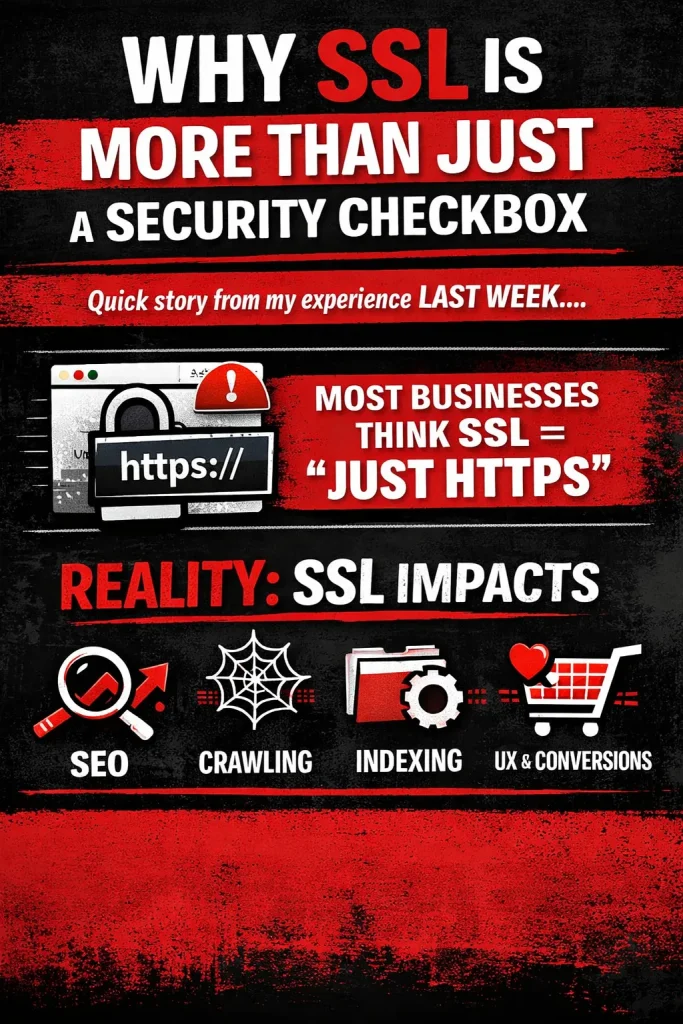
Most businesses think:
SSL = just HTTPS
Flip the switch, see the padlock, move on.
But the reality is bigger: SSL is an SEO infrastructure layer, not a cosmetic security badge. When implemented properly, it becomes a strong trust signal for both users and search engines. When implemented partially (or incorrectly), it creates technical friction that directly impacts how Google crawls, consolidates signals, and ranks your pages.
Here’s what SSL really influences in SEO terms:
- Trust & Authority Signals
HTTPS is a baseline expectation today. A secure site improves perceived credibility, reduces hesitation, and supports stronger engagement—signals that correlate with better organic performance over time.
- Crawling Efficiency
If redirects, canonicals, internal links, or sitemaps still reference HTTP, crawlers waste time and budget on the wrong URLs. That slows down discovery and weakens indexation clarity.
- Indexing & Signal Consolidation
HTTP and HTTPS versions can split equity if not consolidated cleanly. That means backlinks, relevance signals, and historical authority can get diluted across multiple URL variants.
- User Experience (UX) and Friction
Mixed content, insecure form warnings, and inconsistent redirects add micro-friction—especially on mobile—leading to abandonment and lower engagement.
- Conversions and Revenue
SSL issues don’t just hurt rankings; they hurt checkout completion, lead submissions, and trust at the exact moment a user is deciding whether to take action.
In the ThatWare Framework, SSL optimisation isn’t treated as a one-time “install certificate” task. It’s handled as a complete technical SEO system: ensuring every signal points to the secure version, every legacy path resolves correctly, and every crawler + user touchpoint experiences a consistent, trust-first environment.
This guide will walk through the full checklist—from the fundamentals to advanced SEO-grade SSL implementation—so HTTPS doesn’t just exist on your website, it actually works for your rankings, crawl health, and conversions.
What is SSL? (In Simple Terms + SEO Perspective)
What is SSL?
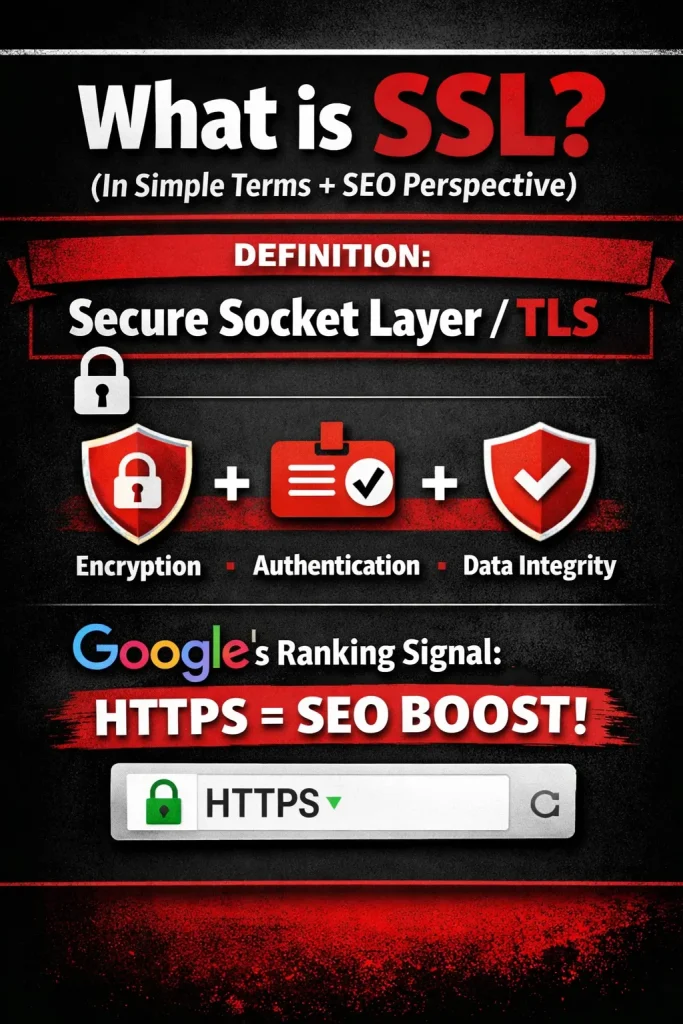
SSL stands for Secure Sockets Layer (now technically replaced by TLS – Transport Layer Security). It is a security technology that encrypts the connection between a user’s browser and a website server.
In simple terms, SSL ensures that any information shared on a website — such as passwords, credit card details, or contact form submissions — is private and protected from hackers.
When a website has SSL enabled:
- The URL changes from http:// to https://
- A padlock icon appears in the browser address bar
What Does SSL Actually Do?
SSL provides three key layers of protection:
1. Encryption
It converts data into a coded format so that unauthorized users cannot read it during transmission.
2. Authentication
It verifies that users are communicating with the legitimate website server — not a fake or malicious version.
3. Data Integrity
It ensures that the data transferred between the user and the server is not altered or corrupted.
SSL from an SEO Perspective
SSL is not just about security — it directly impacts search engine optimization.
- Google officially uses HTTPS as a ranking signal.
Since 2014, Google has confirmed that secure websites may receive a ranking boost over non-secure ones.
- Improves user trust and engagement.
Visitors are more likely to stay and interact with a secure website, reducing bounce rates.
- Avoids “Not Secure” warnings.
Modern browsers mark non-HTTPS websites as “Not Secure,” which can hurt credibility and conversions.
- Required for modern SEO features.
Many advanced features like HTTP/2 performance improvements and certain browser capabilities require HTTPS.
Why SSL is Essential Today
Without SSL:
- Your website may lose rankings
- Users may abandon your site
- Sensitive data may be exposed
With SSL:
- Your site becomes secure
- Search engines trust it more
- Users feel safe interacting with your brand
In today’s digital landscape, SSL is no longer optional — it is a fundamental requirement for both website security and SEO success.
SSL as a Core Google Trust Signal
Secure Sockets Layer (SSL), implemented through HTTPS, is no longer optional—it is a foundational component of Google’s trust and ranking ecosystem. Beyond simple data encryption, SSL plays a strategic role in how Google evaluates website credibility, user experience, and overall authority.
HTTPS as Part of E-E-A-T Trust Architecture
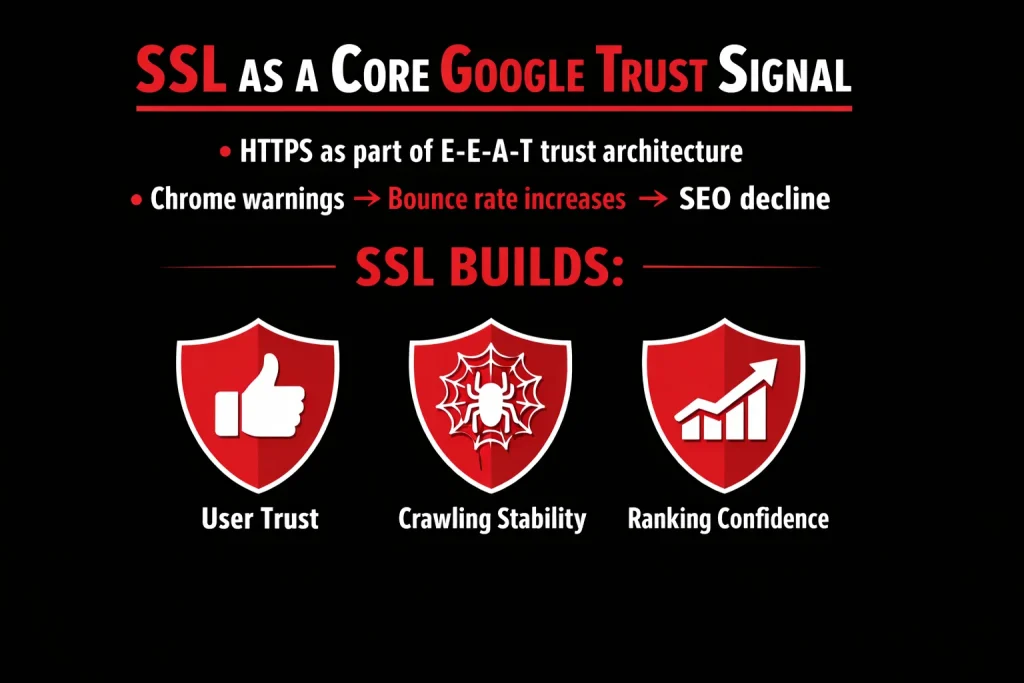
Google’s E-E-A-T framework (Experience, Expertise, Authoritativeness, Trustworthiness) places strong emphasis on trust. HTTPS directly supports the “Trust” component by ensuring secure data transmission between users and servers.
A secure website signals:
- Protection of user data
- Authentic website identity
- Commitment to safe browsing
Without HTTPS, a site weakens its trust profile, regardless of the quality of its content or backlinks.
Chrome Warnings → Bounce Rate Increases → SEO Decline
Modern browsers like Google Chrome actively warn users when a site is not secure. The “Not Secure” label creates immediate psychological friction.
This leads to:
- Decreased user confidence
- Increased bounce rate
- Reduced engagement signals
Higher bounce rates and lower dwell time negatively impact behavioral signals that search engines use to assess quality. Over time, this can contribute to ranking decline, especially in competitive niches.
How SSL Strengthens SEO Performance
SSL contributes to SEO in three critical ways:
1. User Trust
HTTPS reassures visitors that their information is safe. Increased trust improves engagement metrics such as time on site, conversions, and return visits.
2. Crawling Stability
Secure sites reduce technical issues related to redirects, mixed content errors, and indexing inconsistencies. This creates a cleaner crawling environment for search engine bots.
3. Ranking Confidence
Google officially considers HTTPS a ranking signal. While it may be lightweight individually, it compounds with other trust signals. In competitive search environments, even small ranking advantages matter.
SEO Benefits of SSL Implementation
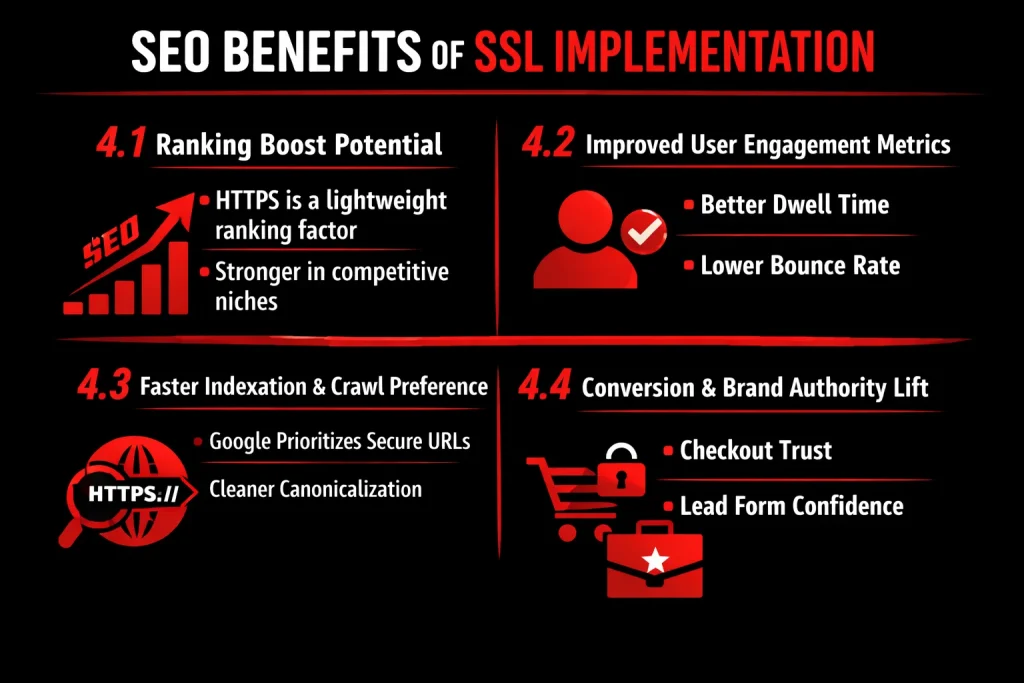
Implementing SSL (Secure Sockets Layer) and migrating from HTTP to HTTPS is no longer optional—it’s a foundational requirement for modern SEO. Beyond security, HTTPS directly and indirectly impacts search visibility, user behavior, and conversions. Below are the key SEO outcomes of SSL implementation:
Ranking Boost Potential
HTTPS is a lightweight ranking factor
Google has officially confirmed that HTTPS is a ranking signal. While it is considered a lightweight factor compared to content quality or backlinks, it still provides a measurable edge—especially when competing pages are otherwise equal in quality.
Stronger impact in competitive niches
In highly competitive industries, even minor ranking signals can influence search positions. When competitors are closely matched in content relevance and authority, having HTTPS implemented properly can be the differentiator that moves a page ahead in the SERPs.
Improved User Engagement Metrics
Better dwell time
Users are more likely to stay longer on a website when they see the secure padlock icon in the browser. HTTPS reduces hesitation and builds confidence, especially when users are browsing product pages, reading blogs, or interacting with gated content.
Lower bounce rate
Modern browsers flag non-HTTPS websites as “Not Secure,” which can immediately trigger distrust and cause users to leave. By implementing SSL, websites remove this friction point, resulting in lower bounce rates and stronger engagement signals—metrics that indirectly support SEO performance.
Faster Indexation and Crawl Preference
Google prioritizes secure URLs
Search engines favor secure websites when crawling and indexing content. HTTPS pages are more likely to be crawled efficiently, ensuring new or updated content is discovered and indexed faster.
Cleaner canonicalization
SSL implementation simplifies URL consistency. Proper 301 redirects from HTTP to HTTPS prevent duplicate content issues and consolidate ranking signals under a single canonical version. This strengthens domain authority and improves overall crawl efficiency.
Conversion & Brand Authority Lift
Checkout trust
For eCommerce websites, SSL is critical. Users are significantly more comfortable completing transactions when they know their payment information is encrypted. The visible security indicator directly influences purchase decisions.
Lead form confidence
Websites that collect personal data—such as contact forms, newsletter signups, or consultation requests—benefit from higher form completion rates when users feel their information is secure. This boosts conversion rates while simultaneously strengthening brand credibility.
The Complete SSL SEO Optimisation Checklist (ThatWare Technical SOP)
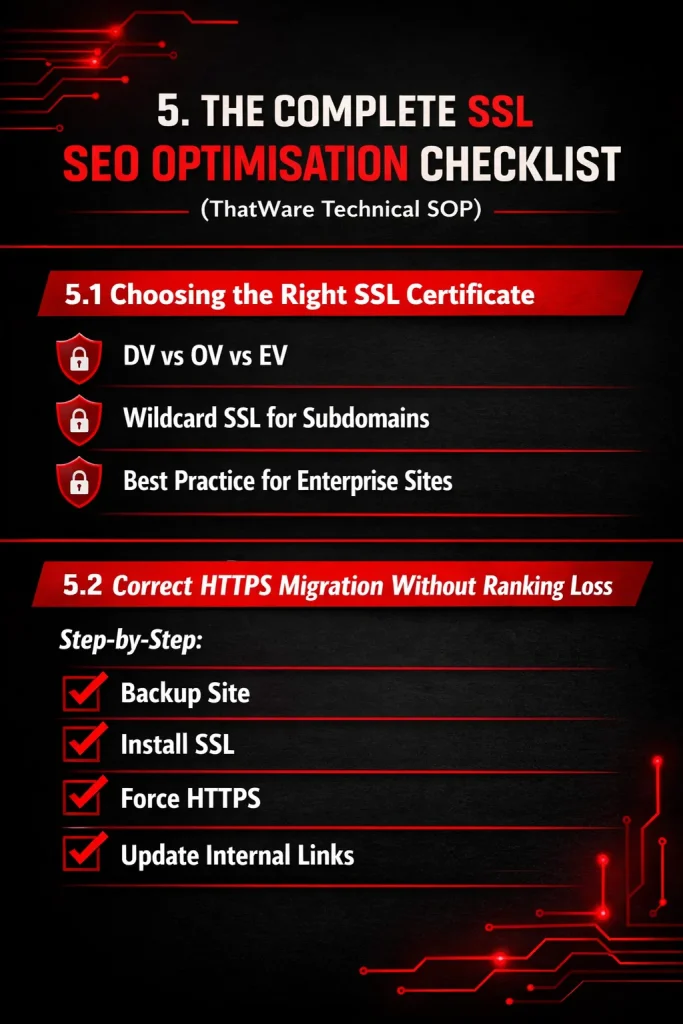
SSL implementation is no longer optional—it is a core technical SEO requirement. A properly configured HTTPS setup improves security, enhances user trust, and protects search rankings. Below is ThatWare’s technical SOP for SSL SEO optimisation.
Choosing the Right SSL Certificate
Selecting the correct SSL certificate depends on the type of website, business goals, and security requirements.
DV vs OV vs EV Certificates
1. Domain Validation (DV)
- Basic level of validation
- Verifies domain ownership only
- Issued quickly and cost-effective
- Suitable for blogs, small websites, and informational sites
SEO Impact: Provides HTTPS encryption but does not enhance brand trust significantly.
2. Organization Validation (OV)
- Verifies business identity along with domain ownership
- Higher trust level than DV
- Ideal for business websites collecting user data
SEO Impact: Improves credibility and user confidence, indirectly reducing bounce rate.
3. Extended Validation (EV)
- Highest level of verification
- Displays verified company details in browser certificate information
- Best suited for eCommerce, finance, SaaS, and enterprise websites
SEO Impact: Strong trust signals, better conversion rates, and enhanced brand authority.
Wildcard SSL for Subdomains
A Wildcard SSL certificate secures:
- example.com
- www.example.com
- blog.example.com
- shop.example.com
Best for:
- Websites with multiple subdomains
- SaaS platforms
- Large content ecosystems
SEO Advantage:
Ensures consistent HTTPS security across all subdomains, preventing duplicate HTTP/HTTPS indexing issues.
Best Practice for Enterprise Sites
For enterprise-level websites:
- Use EV or OV SSL
- Implement Wildcard or Multi-Domain (SAN) SSL
- Enable HTTP/2 or HTTP/3
- Enforce HSTS (HTTP Strict Transport Security)
- Monitor certificate expiry with automated alerts
- Ensure SSL coverage across CDN, APIs, and subdomains
Enterprise sites must prioritize both security and crawl stability to avoid indexing disruptions.
Correct HTTPS Migration Without Ranking Loss
Improper HTTPS migration can result in traffic drops, indexing issues, and ranking fluctuations. Follow this structured SOP to ensure a smooth transition.
Step-by-Step HTTPS Migration Process
1️⃣ Backup the Website
- Full database backup
- Full file system backup
- Backup server configuration
- Keep a restore point before migration
Why?
Prevents permanent damage if misconfigurations occur.
2️⃣ Install SSL Certificate
- Install certificate on server or hosting panel
- Configure certificate chain correctly
- Test using SSL checker tools
- Ensure no certificate mismatch or warning
Verify:
- HTTPS loads without errors
- No mixed content issues
3️⃣ Force HTTPS (301 Redirection)
Implement permanent redirects:
- Redirect HTTP → HTTPS
- Redirect non-www → www (or vice versa)
- Maintain URL structure consistency
Example rule (conceptual):
All traffic should resolve to a single canonical HTTPS version.
Important:
Use 301 redirects only (not 302).
4️⃣ Update Internal Links
- Update all internal links to HTTPS
- Modify canonical tags
- Update hreflang tags
- Update structured data URLs
- Update XML sitemap to HTTPS
- Update robots.txt if needed
- Replace hardcoded HTTP resources
This prevents:
- Mixed content warnings
- Redirect chains
- Crawl inefficiencies
Additional Technical Checks
After migration:
- Re-submit sitemap in Google Search Console
- Update property to HTTPS version
- Monitor crawl errors
- Check indexing status
- Track rankings daily for 2–4 weeks
- Test Core Web Vitals
Final SSL SEO Verification Checklist
✔ HTTPS loads correctly
✔ 301 redirects working
✔ No mixed content
✔ Canonical URLs updated
✔ Sitemap updated
✔ HSTS enabled (if applicable)
✔ Google Search Console updated
✔ No redirect chains
✔ Page speed unaffected
Redirect Mapping: The Heart of SSL SEO
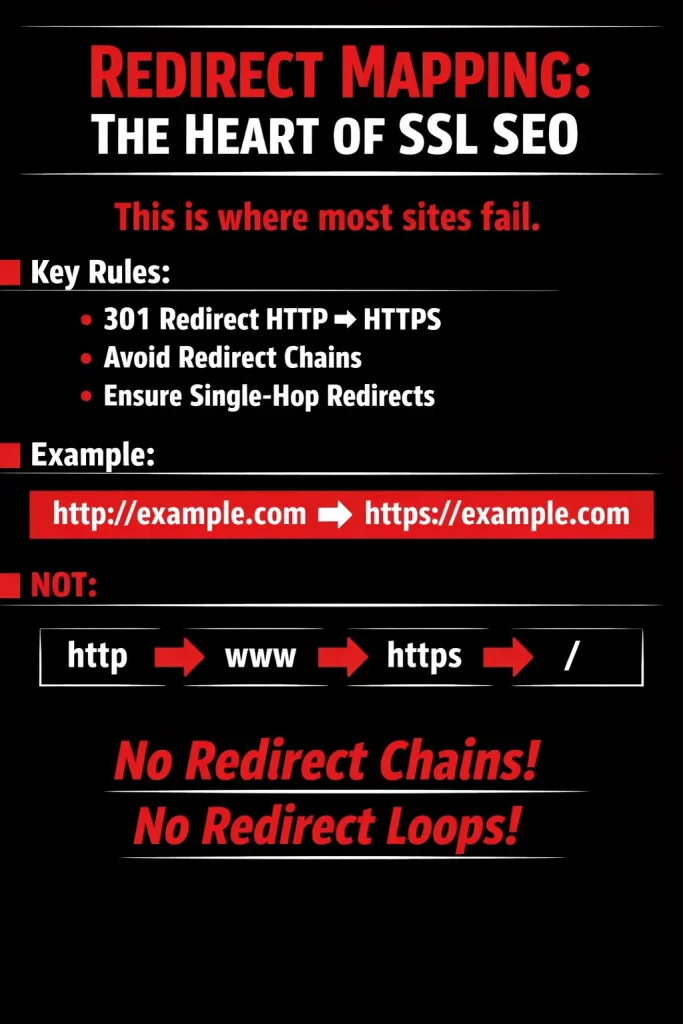
This is where most websites get it wrong.
Migrating to HTTPS is not just about installing an SSL certificate — it’s about configuring redirects properly. Poor redirect mapping can dilute link equity, slow down crawling, and hurt rankings.
Key Rules for Proper SSL Redirects
- Use 301 redirects from HTTP to HTTPS
Always implement permanent (301) redirects so search engines transfer ranking signals correctly.
- Avoid redirect chains
Multiple sequential redirects waste crawl budget and slow down page loading.
- Ensure single-hop redirects
Every URL should resolve to its final HTTPS version in one step.
Correct Redirect Structure
✔ Best Practice (Single Redirect):
http://example.com → https://example.com
What NOT to Do
✖ Redirect Chain Example:
http://example.com
→ http://www.example.com
→ https://www.example.com
→ https://www.example.com/
Each additional step creates friction for both users and search engines.
Why This Matters for SEO
- Preserves link equity
- Improves crawl efficiency
- Reduces page load time
- Prevents indexing issues
- Strengthens canonical signals
In short, redirect mapping isn’t just a technical task — it’s the foundation of a successful HTTPS migration. Get it wrong, and your SEO performance can suffer. Get it right, and your site maintains trust, authority, and rankings seamlessly.
Canonical Tag Updates After SSL
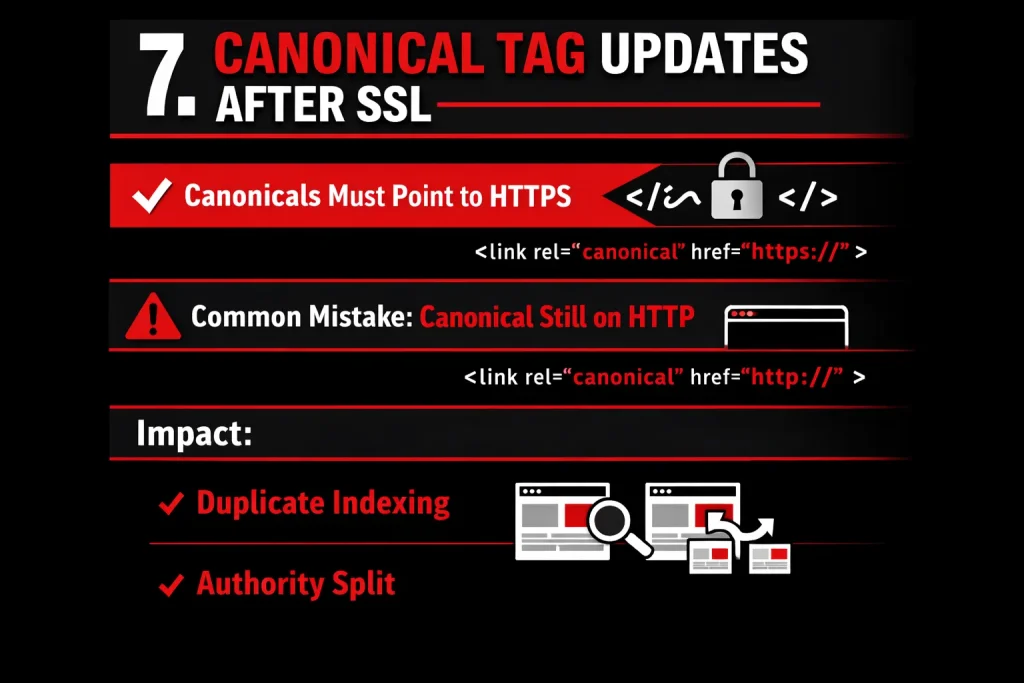
When migrating a website from HTTP to HTTPS, updating canonical tags is a critical but often overlooked step.
Canonicals Must Point to HTTPS
After SSL implementation, all canonical URLs should reference the HTTPS version of each page. The canonical tag tells search engines which version of a page is the “preferred” one. If your site is fully migrated to HTTPS, the canonical must reflect that secure version.
Common Mistake: Canonical Still on HTTP
A frequent error during SSL migration is leaving canonical tags pointing to the old HTTP URLs. Even if proper 301 redirects are in place, an HTTP canonical sends conflicting signals to search engines.
Impact: Duplicate Indexing & Authority Split
If canonical tags remain on HTTP:
- Search engines may treat HTTP and HTTPS as separate versions.
- Link equity can be split between versions.
- Duplicate content issues may arise.
- Rankings may fluctuate or decline due to diluted authority signals.
To avoid these issues, perform a full crawl after SSL migration and verify that every canonical tag references the correct HTTPS URL.
Updating XML Sitemaps & Robots.txt

After migrating to HTTPS or making significant structural updates to your website, it is essential to update your XML sitemap and robots.txt file to ensure proper crawling and indexing.
Generate a New HTTPS Sitemap
- Create a fresh XML sitemap that includes only HTTPS URLs.
- Ensure all outdated HTTP URLs are removed.
- Validate the sitemap to confirm there are no broken links or redirecting URLs.
- Place the updated sitemap at:
https://example.com/sitemap.xml
Submit Sitemap in Google Search Console
- Log in to Google Search Console.
- Select your HTTPS property (not the HTTP version).
- Navigate to Index → Sitemaps.
- Enter the sitemap URL:
- Click Submit and monitor for errors or indexing issues.
Update Robots.txt
Your robots.txt file must reference the correct HTTPS sitemap location. Add or update the following line:
Sitemap: https://example.com/sitemap.xml
This ensures search engines can easily locate and crawl your updated sitemap.
Properly updating your XML sitemap and robots.txt file helps search engines understand your secure site structure and supports faster, more accurate indexing.
Google Search Console & Analytics SSL Revalidation
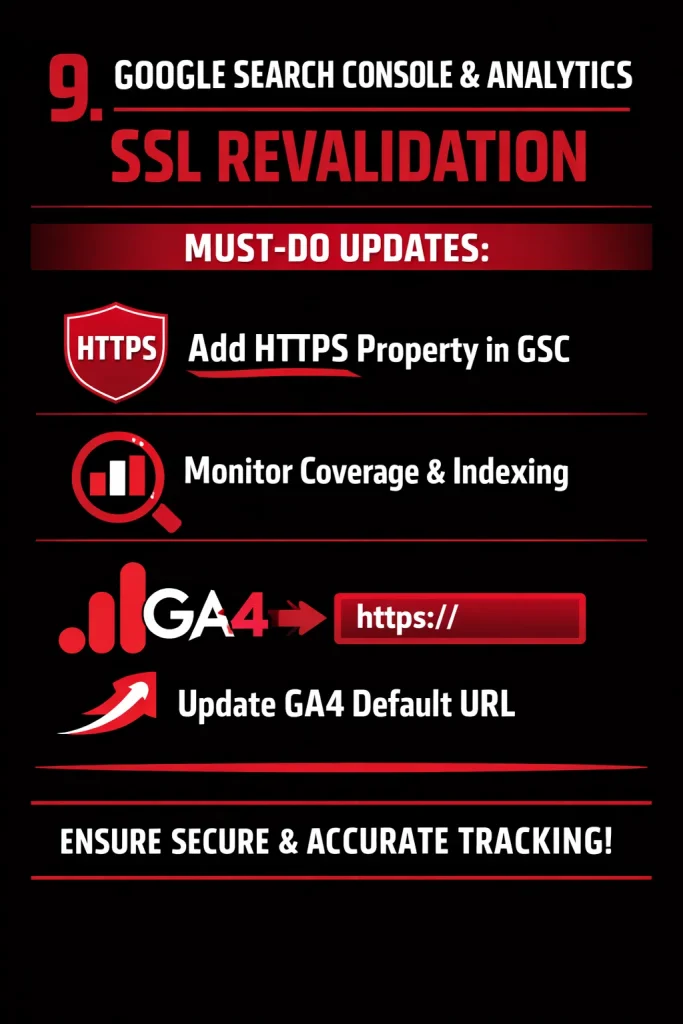
After implementing SSL (HTTPS), it is essential to revalidate and update configurations in Google Search Console (GSC) and Google Analytics to ensure proper tracking, indexing, and performance monitoring.
Must-Do Updates:
1. Add HTTPS Property in Google Search Console
- Add and verify the new HTTPS version of your website as a property in GSC.
- Submit the updated XML sitemap with HTTPS URLs.
- Ensure the preferred domain reflects the secure version.
- Keep the HTTP property temporarily to monitor traffic migration and potential issues.
2. Monitor Coverage and Indexing
- Regularly check the Coverage Report for indexing errors, redirects, or crawl anomalies.
- Monitor for mixed content issues and blocked resources.
- Verify that all important pages are indexed under HTTPS and not HTTP.
- Review crawl stats and address any 404, redirect loops, or canonicalization issues.
3. Update GA4 Default URL
- Update the default URL in GA4 property settings to HTTPS.
- Ensure all data streams reflect the secure version of the website.
- Confirm that tracking codes are firing correctly on HTTPS pages.
- Monitor real-time traffic to validate correct implementation.
Proper SSL revalidation ensures search engines recognize the secure version of your site, preserves SEO value, and maintains accurate analytics tracking.
Mixed Content Issues: The Hidden SEO Killer
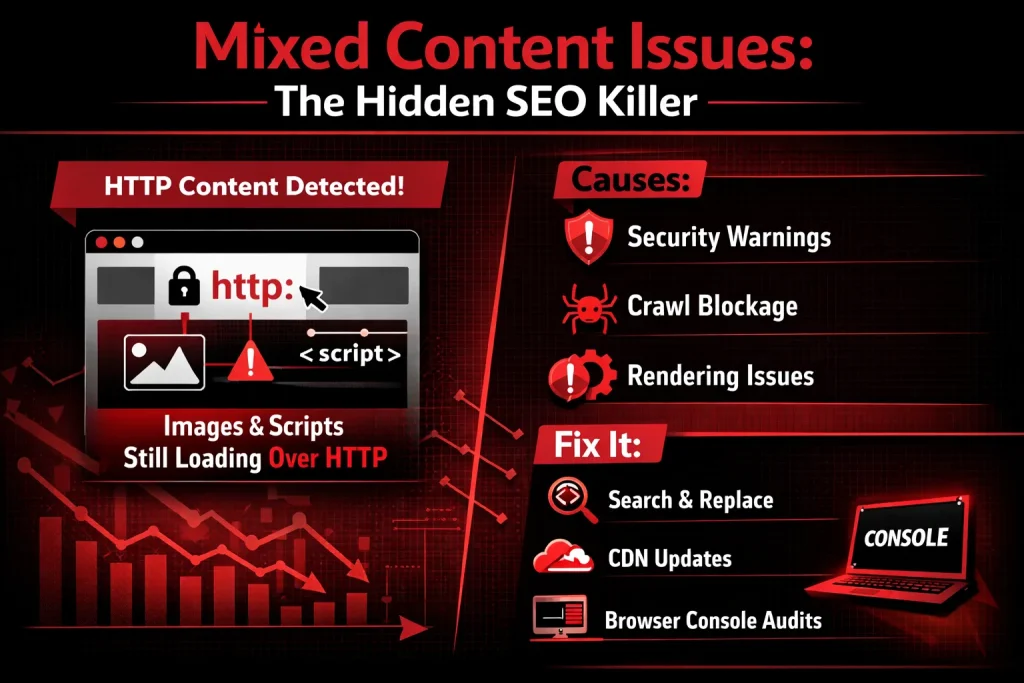
Mixed content issues are one of the most overlooked technical SEO problems I encounter during audits. A website may have an SSL certificate installed and appear secure, but if some resources (images, scripts, CSS, fonts, etc.) are still loading over HTTP instead of HTTPS, it creates what we call mixed content.
From experience, this silently damages both SEO performance and user trust.
What Is Mixed Content?
Mixed content occurs when a website is loaded over HTTPS, but certain elements on the page (like images, JavaScript files, CSS, or iframes) are still being requested over HTTP.
Example:
- Page URL: https://example.com
- Image loading from: http://example.com/image.jpg
Even one insecure element can trigger browser warnings or block resources entirely.
Common Mixed Content Elements I’ve Found
During technical audits, I frequently see:
- Images still loading over HTTP
- JavaScript files linked with old HTTP URLs
- CSS files hardcoded with HTTP
- Embedded videos or iframes using HTTP
- Old theme/plugin assets not updated after SSL migration
Often, these issues happen after a site migrates from HTTP to HTTPS but fails to update internal references properly.
Why Mixed Content Is Dangerous
1. Security Warnings (Trust Damage)
Modern browsers flag mixed content as insecure. Users may see:
- “Not Secure” warnings
- Blocked content messages
- Shield icons in the address bar
This reduces user trust and can increase bounce rates — especially on eCommerce or lead-generation sites.
2. Crawl Blockage
Search engines prioritize secure websites. When scripts or important assets are blocked:
- Googlebot may not render the page correctly
- Important content may not be indexed
- Structured data may fail to load
- Page experience signals may drop
If JavaScript is blocked due to mixed content, it can severely impact indexing and visibility.
3. Rendering Issues
I’ve seen cases where:
- CSS files failed to load → Broken layout
- JS files blocked → Features not working
- Images blocked → Poor user experience
- Tracking scripts failed → Incomplete analytics data
If Google cannot fully render a page, rankings can suffer — even if the content is strong.
What Causes Mixed Content?
From hands-on experience, the most common causes are:
- Hardcoded HTTP links in database
- Old theme files referencing HTTP
- Plugins not updated after SSL install
- CDN still serving HTTP URLs
- Incorrect WordPress or CMS URL settings
- Manual content insertion with old HTTP links
It often happens when SSL is added later instead of during initial development.
How to Fix Mixed Content Issues
Here’s the practical process I use:
1. Search & Replace (Database Level Fix)
If the site is on WordPress or another CMS:
- Run a database-wide search and replace
- Replace: http://yourdomain.com
- With: https://yourdomain.com
Tools commonly used:
- Better Search Replace (WordPress)
- WP-CLI
- Database migration tools
This fixes most hardcoded internal links instantly.
2. Update CDN Settings
Many mixed content issues come from CDNs.
Check:
- CDN base URL
- Asset URLs
- SSL configuration inside CDN panel
- Force HTTPS settings
Sometimes images are still being served from:
http://cdn.example.com
Switching the CDN to HTTPS resolves bulk asset issues.
3. Browser Console Audits
This is one of the fastest detection methods.
Steps:
- Open the website in Chrome
- Right-click → Inspect
- Go to Console tab
- Look for “Mixed Content” warnings
It will show exactly which resources are loading over HTTP.
This method helps identify:
- External scripts
- Third-party tools
- Old embedded resources
4. Force HTTPS Redirect (Server-Level)
Ensure:
- 301 redirect from HTTP → HTTPS
- HSTS enabled
- Correct SSL certificate installation
This prevents new HTTP requests from happening in the future.
Page Speed + SSL: The Performance SEO Angle

Website performance and security are no longer separate technical considerations — they directly influence SEO rankings, user trust, and conversion rates. A well-optimized SSL setup can significantly enhance page speed when implemented correctly.
🔐 TLS Handshake Optimization
The TLS (Transport Layer Security) handshake is the process that establishes a secure connection between a user’s browser and your server. While essential for security, it can introduce latency if not optimized.
Optimization strategies include:
- Enabling TLS 1.3 (faster and more secure than older versions)
- Using OCSP stapling to reduce certificate validation time
- Implementing session resumption to avoid repeated full handshakes
- Choosing modern cipher suites for faster encryption processing
A streamlined TLS handshake reduces Time to First Byte (TTFB), improving both user experience and Core Web Vitals — a known Google ranking factor.
🚀 HTTP/2 Enabled Benefits
When SSL is properly configured, it allows HTTP/2 to function efficiently. HTTP/2 brings multiple performance advantages:
- Multiplexing (multiple requests over a single connection)
- Header compression
- Server push capabilities
- Reduced latency compared to HTTP/1.1
These features dramatically decrease page load times, especially for resource-heavy websites with multiple CSS, JS, and image files. Faster load times lead to lower bounce rates and stronger SEO performance.
🌍 CDN + SSL Synergy
A Content Delivery Network (CDN) combined with SSL enhances both security and speed:
- Distributes content globally via edge servers
- Reduces server load and geographic latency
- Provides automatic HTTPS delivery
- Adds an extra layer of DDoS protection
When SSL is integrated at the CDN level, encrypted traffic is handled closer to the user, reducing round-trip delays and improving site responsiveness.
💡 ThatWare Tip
For optimal performance SEO:
Use Cloudflare + Brotli + Full SSL (Strict)
- Cloudflare for global CDN delivery and built-in security
- Brotli compression for superior file size reduction (better than GZIP)
- Full SSL (Strict) mode to ensure end-to-end encryption between browser, CDN, and origin server
This setup maximizes speed, enhances trust signals, strengthens security posture, and contributes positively to search engine rankings.
By aligning SSL implementation with performance optimization strategies, businesses can transform security from a necessity into a competitive SEO advantage.
Advanced SSL SEO Optimisation (ThatWare Hyper-Intelligence Layer)
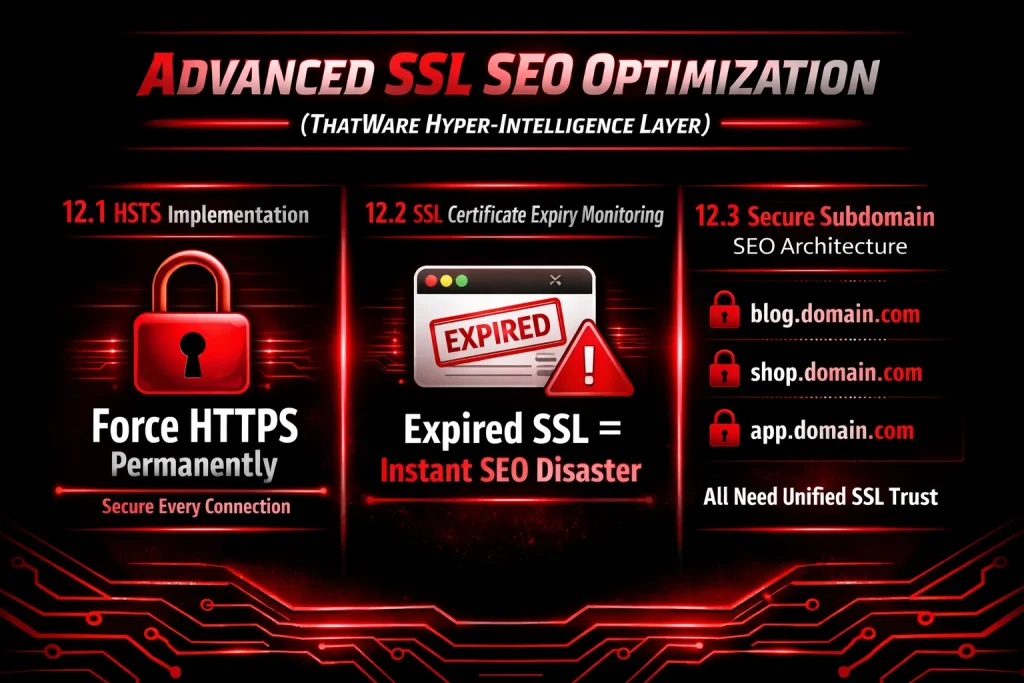
In modern search ecosystems, SSL is no longer just a security feature — it is a core ranking trust signal. Google treats HTTPS as a lightweight ranking factor, but in practice, secure infrastructure directly influences crawl efficiency, user trust, Core Web Vitals performance, and conversion rates.
The ThatWare Hyper-Intelligence Layer integrates advanced SSL strategy into technical SEO architecture to ensure permanent trust, zero downtime risks, and cross-subdomain authority consolidation.
HSTS Implementation (HTTP Strict Transport Security)
Objective: Force HTTPS permanently and eliminate protocol downgrade vulnerabilities.
HSTS instructs browsers to only access your website via HTTPS, preventing users (and bots) from accidentally accessing the HTTP version.
Why HSTS Matters for SEO:
- Eliminates mixed-content issues
- Prevents duplicate HTTP/HTTPS indexing
- Improves crawl consistency
- Strengthens site trust signals
- Protects against SSL stripping attacks
Technical Strategy:
- Configure HSTS at the server level
- Use long max-age directives (recommended: 6–12 months minimum)
- Enable includeSubDomains
- Consider HSTS preload submission (for enterprise-grade authority sites)
Result:
Search engines and users are forced into a secure environment every time — reinforcing technical trust and maintaining clean canonical indexing.
SSL Certificate Expiry Monitoring
Expired SSL = Instant SEO Disaster
An expired SSL certificate can cause:
- Browser security warnings
- Google crawl interruptions
- De-indexing risks
- Immediate traffic drops
- Conversion collapse
Even a few hours of SSL downtime can negatively impact rankings and trust metrics.
Hyper-Intelligent Monitoring Framework:
ThatWare implements:
- Automated SSL expiry alerts
- 30-day pre-expiry monitoring triggers
- Auto-renewal validation checks
- Uptime + certificate chain verification
- Multi-environment monitoring (staging + production)
Why This Is Critical:
Googlebot may reduce crawl frequency on unstable or insecure domains. An SSL failure is interpreted as a site-level trust issue.
Preventative monitoring ensures uninterrupted SEO performance.
Secure Subdomain SEO Architecture
Modern websites operate across multiple environments:
- blog.domain.com
- shop.domain.com
- app.domain.com
Each subdomain must maintain unified SSL trust and consistent security architecture.
Common SEO Mistake:
Main domain is secured, but subdomains:
- Have mismatched certificates
- Use different trust chains
- Lack HSTS enforcement
- Generate mixed content errors
This creates:
- Fragmented trust signals
- Reduced authority flow
- Crawl inconsistencies
- Technical SEO dilution
ThatWare Secure Subdomain Strategy:
- Unified SSL certificate (SAN or Wildcard SSL)
- Consistent certificate authority
- HSTS with includeSubDomains
- Proper canonicalization between domain + subdomains
- Secure internal linking architecture
- Cross-subdomain structured data alignment
SEO Impact:
- Stronger authority consolidation
- Cleaner crawl patterns
- Enhanced brand trust signals
- Higher conversion confidence
- Improved index stability
Common SSL SEO Mistakes Businesses Still Make
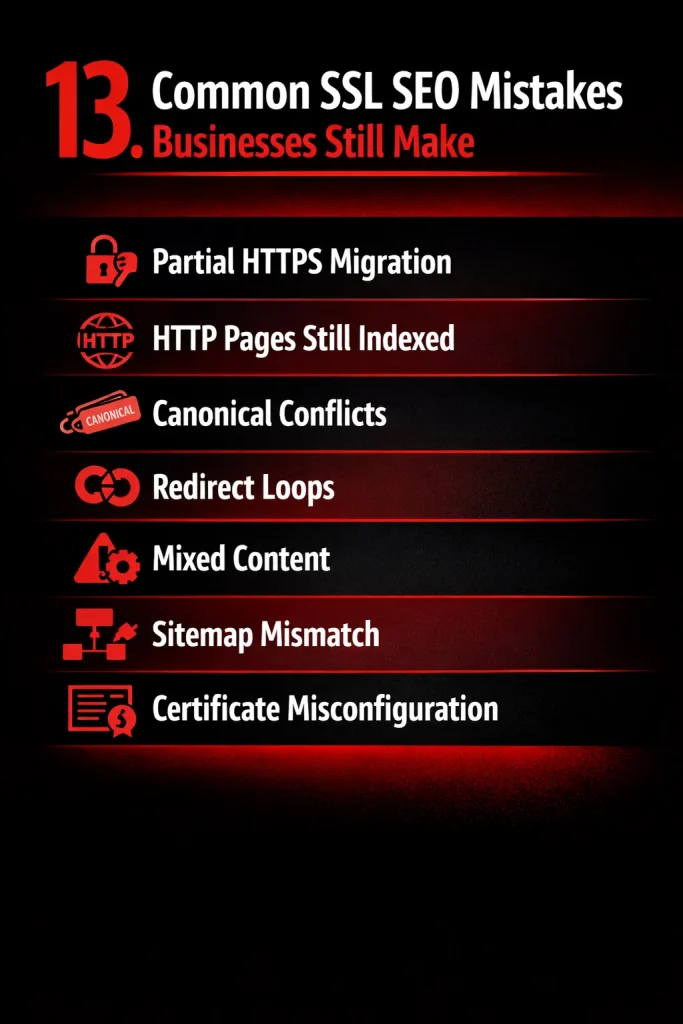
Even though HTTPS has become a standard ranking factor and a trust signal for users, many businesses still make critical SSL-related SEO mistakes. These errors can hurt rankings, reduce crawl efficiency, and damage user experience. Below are some of the most common SSL SEO issues companies continue to overlook:
- Partial HTTPS Migration
One of the most frequent mistakes is migrating only parts of a website to HTTPS. For example, the homepage may load securely, while blog pages, landing pages, or resources still run on HTTP. This creates duplicate versions of the same site and splits link equity between HTTP and HTTPS URLs, confusing search engines and weakening rankings.
- HTTP Pages Still Indexed
After migrating to HTTPS, many businesses forget to properly redirect old HTTP URLs. As a result, search engines continue indexing both versions. Without 301 redirects from HTTP to HTTPS, Google may treat them as separate pages, causing duplicate content issues and diluting SEO authority.
- Canonical Conflicts
Incorrect canonical tags are another common issue. Some websites migrate to HTTPS but leave canonical tags pointing to HTTP URLs. This sends mixed signals to search engines, telling them to prioritize the non-secure version. Over time, this can negatively impact indexing and ranking consistency.
- Redirect Loops
Improper redirect configurations can create redirect loops (e.g., HTTP → HTTPS → HTTP or multiple chained redirects). These loops waste crawl budget, slow down page load time, and may prevent search engines from accessing important pages altogether.
- Mixed Content
Mixed content occurs when a secure HTTPS page loads resources (images, scripts, CSS) over HTTP. Browsers may block these elements or display security warnings. This not only affects user trust but can also break site functionality and reduce engagement metrics, indirectly harming SEO.
- Sitemap Mismatch
Some businesses forget to update their XML sitemap after switching to HTTPS. If the sitemap still contains HTTP URLs, search engines may continue crawling outdated pages. A properly updated sitemap should list only HTTPS URLs to reinforce the preferred secure version.
- Certificate Misconfiguration
Expired SSL certificates, incorrect certificate installation, or missing intermediate certificates can cause security warnings. Even brief downtime due to certificate errors can harm crawlability, user trust, and overall SEO performance.
Case Study From Last Week (Your Experience Section)
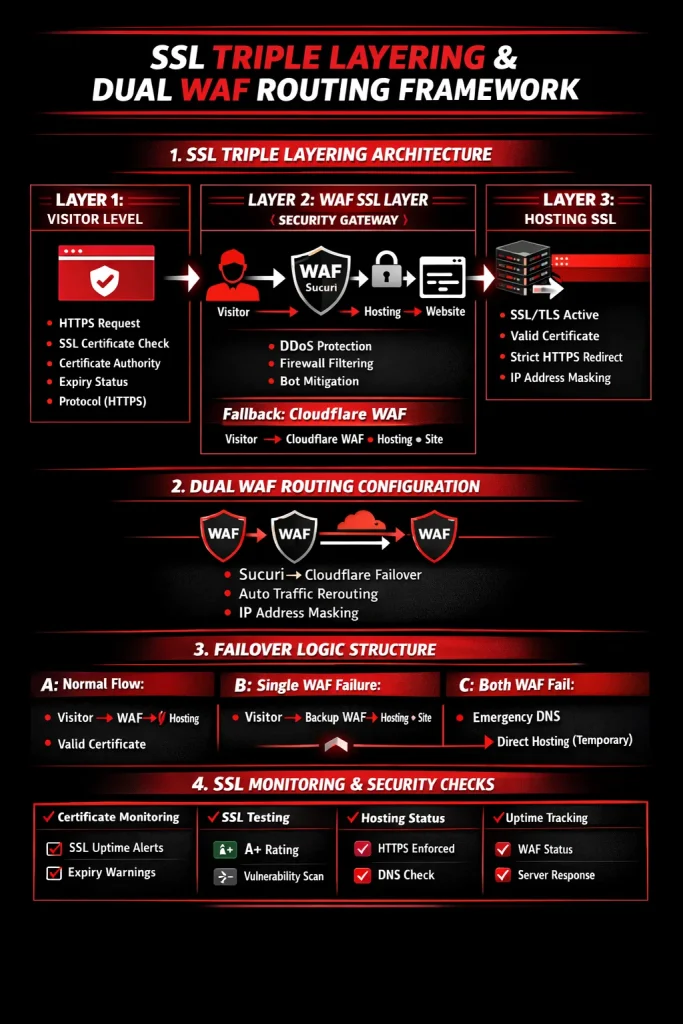
SSL Triple Layering & Dual WAF Routing Framework Implementation
Last week, I worked on implementing and validating a Triple-Layer SSL Architecture combined with a Dual WAF Routing Framework to ensure zero downtime, continuous SSL validation, and advanced layered security protection for a live production website.
This case study outlines the architecture, failover logic, monitoring system, and operational safeguards we executed.
1. SSL Triple Layering Architecture
The core objective was to eliminate single points of SSL failure and create a multi-layer validation structure from visitor level to hosting level.
Layer 1: Visitor-Level SSL Validation
At the first layer, the visitor initiates an HTTPS request through their browser.
Browser-Level Validations:
- SSL certificate authenticity
- Trusted Certificate Authority (CA)
- Certificate expiry status
- HTTPS protocol enforcement
- Secure padlock visibility
- No mixed content warnings
If any of these validations fail, user trust breaks immediately. Therefore, this layer must always display:
- Valid certificate
- Correct domain mapping (www + non-www)
- No browser security warnings
This is the front-facing trust layer.
Layer 2: WAF SSL Layer (Security Gateway)
This is the traffic filtering and protection layer, where SSL termination occurs at the firewall before traffic reaches hosting.
Primary Traffic Flow:
Visitor → WAF SSL (Sucuri) → Hosting SSL → Website
Responsibilities of WAF:
- SSL termination
- DDoS mitigation
- Firewall filtering
- IP masking
- Bot filtering
- Malicious traffic blocking
- Rate limiting
- Security header enforcement
The WAF hides the origin server IP, ensuring attackers cannot directly hit hosting.
If WAF SSL Certificate Fails
We designed fallback routing options to prevent downtime.
Fallback Routing Options:
- Visitor → WAF (Sucuri) → Hosting → Website
OR - Visitor → WAF (Cloudflare) → Hosting → Website
This ensures:
- No SSL interruption
- Automatic rerouting
- Secure traffic continuity
- No direct hosting exposure
This redundancy mechanism prevents business interruption due to SSL misconfiguration or expiration.
Layer 3: Hosting SSL Layer
Even though WAF performs SSL termination, the hosting server must also maintain a valid SSL certificate.
Verification Steps:
Navigate to:
cPanel → SSL/TLS Status
Confirm:
- Certificate is active
- Green status indicator
- No expired certificate
- No self-signed certificate
- Proper domain coverage (www + non-www)
Hosting Must Enforce:
- Strict HTTPS redirection
- HSTS (if applicable)
- No HTTP fallback
- Proper 301 redirection rules
This acts as the final validation layer, ensuring encryption continues end-to-end.
Dual WAF Routing Configuration
What is Dual WAF Routing?
Dual WAF Routing is a failover security mechanism where two Web Application Firewalls are configured in parallel to maintain uptime if one fails.
Primary: Sucuri
Secondary: Cloudflare
Configuration Method
The setup involved:
- PuTTY-level server access
- Bash-level routing configuration
- DNS control adjustments
- Firewall and proxy mapping
This required careful IP routing and DNS propagation management to prevent traffic leaks.
How It Works
- Primary WAF (Sucuri) handles incoming traffic.
- If Sucuri SSL fails:
- Traffic automatically reroutes to Cloudflare.
- Hosting IP remains masked.
- Website continues functioning without interruption.
Key Outcomes:
- Continuous SSL validation
- Zero downtime during SSL issues
- Multi-layer security
- No origin exposure
Failover Logic Structure
We implemented structured failover scenarios.
Scenario A: Normal Flow
Visitor → WAF SSL → Hosting SSL → Website
Everything functions through Primary WAF.
Scenario B: Single WAF Failure
If WAF 1 fails:
Visitor → WAF 2 → Hosting → Website
- Traffic shifts via DNS routing
- Hosting IP remains protected
- No direct access allowed
This ensures service continuity.
Scenario C: Both WAF Fail (Emergency Protocol)
In a rare scenario where both WAFs fail:
Emergency Measures:
- Temporary static DNS mapping
- Controlled direct hosting access
- Strict firewall rules maintained
- IP masking remains active
- Temporary solution until WAF restoration
This is only used under controlled conditions to prevent total outage.
4. SSL Monitoring & Health Check Protocol
Security is not just architecture — it requires monitoring.
Certificate Monitoring
We implemented:
- SSL uptime monitoring tools
- 30-day expiry alert system
- Automated alert ticket creation
- Continuous certificate validation
This prevents unexpected expiration.
SSL Testing (Quality Assurance)
Using SSL Labs:
- Target grade: A or A+
- Cipher strength validation
- TLS version enforcement
- Weak protocol removal
- Mixed content detection
This ensures compliance with modern security standards.
Hosting Health Check
Checklist:
- Hosting active
- SSL valid
- HTTPS forced
- No HTTP fallback
- No redirect loops
Uptime Monitoring
Continuous monitoring includes:
- WAF availability
- SSL handshake success
- DNS resolution health
- Server response time
- Protocol enforcement validation
This guarantees early detection of anomalies.
5. Security Safeguards Implemented
To prevent vulnerabilities:
- Hosting IP fully masked
- Direct server access blocked
- Strict HTTPS enforced
- Dual WAF redundancy active
- Proper DNS configuration maintained
- Certificate auto-renewal configured
- No exposed origin IP in DNS records
This created a hardened perimeter structure.
6. Operational Checklist
Final validation checklist after deployment:
✔ Visitor SSL valid
✔ Primary WAF SSL active
✔ Secondary WAF SSL ready
✔ Hosting SSL active (cPanel green status)
✔ HTTPS forced (301 + HSTS)
✔ SSL expiry alerts configured
✔ SSL Labs tested (A/A+)
✔ Uptime monitoring active
✔ Emergency static DNS mapping documented
Final ThatWare Recommendation: SSL as a Ranking Foundation
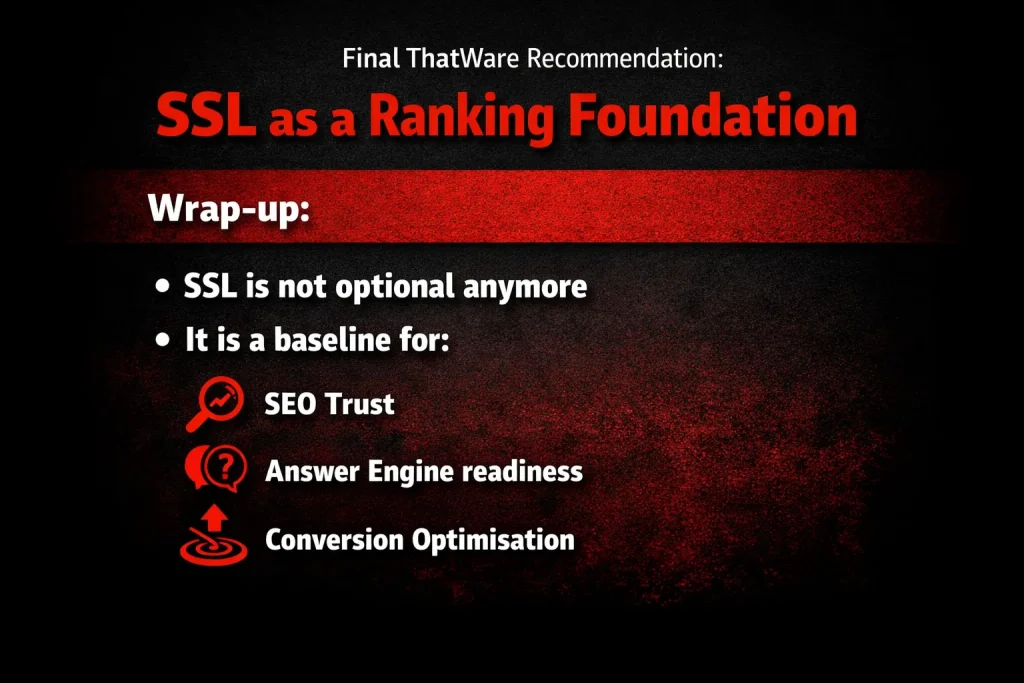
In today’s search ecosystem, SSL is no longer optional — it is fundamental. What was once considered a technical enhancement has now become a non-negotiable baseline for digital visibility and performance.
Secure HTTPS implementation serves as the foundation for:
- SEO Trust & Credibility – Search engines prioritize secure websites. HTTPS signals legitimacy, protects user data, and strengthens domain trust signals that influence rankings.
- Answer Engine & AI Readiness – AI-driven search systems and answer engines prefer secure, authoritative sources. Without SSL, your site risks reduced crawl priority and weakened visibility in AI-powered results.
- Conversion Optimization – Users are increasingly security-conscious. A secure connection builds confidence, reduces bounce rates, and directly supports higher engagement and conversion rates.
In short, SSL is no longer a feature — it is infrastructure. It is the structural layer upon which modern SEO, user trust, and AI discoverability are built.
ThatWare Technical SEO Security Optimization

At ThatWare, we go beyond basic SSL installation.
We provide:
- Comprehensive SSL audits
- Seamless HTTPS migration strategies
- Security-focused technical SEO optimization
- Integration within our Hyper-Intelligence SEO Framework
Our approach ensures that your website doesn’t just become secure — it becomes strategically secure.
At ThatWare, we don’t just install SSL — we engineer a complete secure SEO ecosystem that enhances trust, crawling efficiency, rankings, and AI search readiness.
Secure your foundation. Strengthen your rankings. Future-proof your visibility with ThatWare.