SUPERCHARGE YOUR ONLINE VISIBILITY! CONTACT US AND LET’S ACHIEVE EXCELLENCE TOGETHER!
Web automation has long been fragile and unreliable. Traditional bots and AI agents “drive” websites by interacting with visible interfaces—clicking buttons, filling forms, parsing the DOM, and reacting to page layouts. But modern websites are dynamic. UI updates, DOM reshuffles, cookie banners, A/B tests, JavaScript frameworks, and personalization layers can silently break automated workflows overnight. Even small front-end changes can disrupt scraping scripts or agent actions, creating instability for businesses relying on automation.
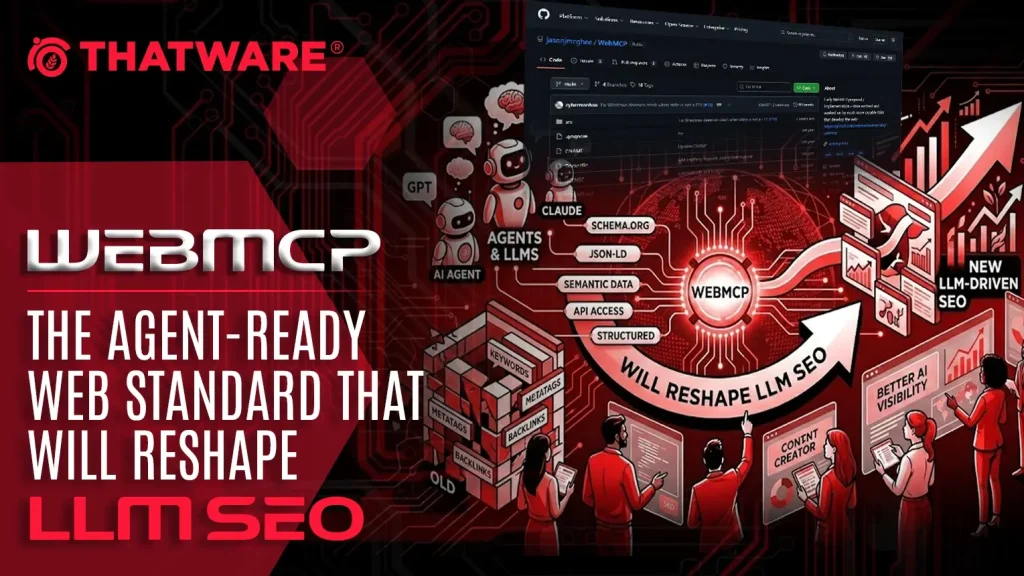
WebMCP aims to eliminate that brittleness by introducing a structured, standardized way for websites to communicate directly with AI agents. Instead of forcing agents to guess which element to click or how to parse a page, WebMCP allows sites to expose clearly defined, machine-readable “tools” that agents can call with precision.
What is WebMCP?
WebMCP (Web Model Context Protocol) is a proposed browser-level or web-standard capability that enables websites to publish agent-callable tools in a structured format. Rather than interacting with the visual layer of a site, an AI agent can access predefined capabilities through an explicit interface. These tools are described in natural language and defined using JSON Schema, allowing agents to understand exactly what inputs are required and what outputs to expect.
Conceptually, WebMCP brings the idea of function-calling—already common in modern LLM APIs—directly into the browser environment. A website might define tools such as searchProducts, getPricing, checkAvailability, createTicket, addToCart, or bookAppointment. Each tool includes a description, required and optional parameters, and predictable structured outputs.
Key characteristics of WebMCP include:
- Tool-based interaction: Websites expose capabilities as named tools with human-readable descriptions and structured definitions.
- Structured inputs (JSON Schema): Agents can validate required and optional fields before execution, reducing errors.
- Reliable execution: Actions run through site-defined backend logic rather than brittle UI scraping.
- Support for read and write actions: Both data retrieval and state-changing operations are possible, with appropriate authentication and user-consent safeguards.
By shifting from interface automation to protocol-based interaction, WebMCP represents a foundational change—transforming websites from visual destinations into agent-ready platforms.
Launch and Announcement Timeline of WebMCP
WebMCP was formally introduced to the public in early February 2026. On February 10, 2026, Google announced WebMCP as an “early preview” release through the official Chrome Developers Blog. The announcement positioned WebMCP as an experimental technology aimed primarily at prototyping and developer exploration, rather than immediate production deployment. By labeling it an “early preview,” Google made it clear that the technology was still under active development and subject to change based on feedback and experimentation.
Shortly after this announcement, on February 12, 2026, the Web Machine Learning Community Group published a draft Community Group Report outlining the proposed specification for WebMCP. This document serves as an early technical framework describing the intended design, architecture, and capabilities of the protocol.
Importantly, at this stage, WebMCP is not an official W3C Recommendation or web standard. Instead, it exists as a Community Group draft, which means:
- It is developed collaboratively by members of a W3C Community Group rather than through the formal W3C Working Group standardization track.
- The specification is open to revisions and iteration.
- It does not yet carry the stability, consensus, or formal endorsement required to be considered a finalized web standard.
Community Group drafts typically represent an early step in the standardization lifecycle. They allow browser vendors, researchers, and developers to experiment with the proposal, provide feedback, and refine the technical model before any formal standardization process begins.
In summary, as of mid-February 2026, WebMCP should be understood as:
- Publicly announced and available for experimentation.
- In an early preview phase.
- Defined by a draft Community Group specification.
- Not yet a finalized or officially ratified W3C standard.
How WebMCP Will Impact SEO
WebMCP introduces a parallel layer of optimization that complements — rather than replaces — traditional SEO.
Classic SEO is built around four pillars:
- Crawlability
- Indexing
- Relevance
- Authority & trust
It assumes a human user browsing web pages.
WebMCP shifts part of that model toward agent usability. Instead of optimizing only for how search engines interpret pages, businesses must now optimize for how AI agents interact with structured capabilities exposed by a website.
This creates a new performance layer:
Not just “Can a bot read your page?” But “Can an agent successfully complete a task on your site?”
That distinction changes SEO in meaningful ways.
1. From “Crawlable Pages” to “Callable Capabilities”
Traditional SEO ensures that:
- Pages are accessible
- Content is structured
- Metadata is clear
- Internal linking supports discovery
WebMCP adds another dimension:
Key actions on your site can be exposed as structured, machine-callable tools.
Instead of an agent:
- Visiting /pricing
- Parsing HTML
- Finding a form
- Guessing required fields
It can directly call:
create_account(email, plan_type)
get_pricing(plan_id)
book_demo(date, company_size)
SEO Implication:
Web visibility expands beyond documents to functional endpoints.
Just as structured data (Schema.org) helped search engines understand entities, WebMCP tools help agents understand:
- What actions are possible
- What parameters are required
- What results will be returned
This shifts part of SEO strategy from:
“Optimize pages”
to:
“Optimize capabilities.”
Websites that expose stable, well-described tools will become more usable — and therefore more likely to be selected — in agent-driven workflows.
2. Higher Conversion Reliability in Agent Journeys
Traditional automation often breaks when:
- UI layouts change
- CSS selectors update
- Forms move
- Field names change
Agents navigating visually (like humans) are vulnerable to UI volatility.
WebMCP replaces fragile UI interactions with stable tool contracts.
Instead of:
- Clicking buttons
- Filling fields
- Navigating unpredictable layouts
The agent calls a defined interface that doesn’t change unless versioned.
SEO & CRO Impact:
This improves:
- Conversion consistency
- Reduced drop-offs in agent-driven journeys
- More predictable outcomes
In the future, when a user says:
“Book me the cheapest refundable flight”
“Start a trial for this SaaS”
“Renew my subscription”
The AI assistant will prefer services where task completion is reliable.
That preference will function similarly to today’s ranking signals:
- Sites that are easier to transact with (for agents) may be surfaced more often.
- Agent reliability may become an indirect ranking factor in AI-powered search ecosystems.
3. The Rise of “Tool SEO”
WebMCP introduces a new optimization discipline that sits alongside technical SEO.
Traditional Technical SEO focuses on:
- Site architecture
- Page speed
- Structured data
- Canonicals
- Crawl budgets
Tool SEO focuses on:
- Tool naming conventions (clear, unambiguous verbs)
- Parameter schema clarity
- Output consistency
- Version control
- Error handling
- Authentication flows
- Tool performance latency
- Tool usage analytics
For example:
Bad tool naming:
processData()
handleRequest()
runTask()
Optimized tool naming:
create_invoice(customer_id, amount, currency)
schedule_consultation(date, timezone)
check_inventory(product_sku)
Clear naming improves:
- Agent selection accuracy
- Task matching
- Intent resolution
This is similar to how keyword clarity improves page rankings — but now applied to executable interfaces.
4. Better Handling of Complex Intent
Traditional SEO performs well for informational queries:
- “Best CRM software”
- “How to improve website speed”
- “Top travel destinations in Italy”
But struggles with complex, multi-step, high-intent tasks:
- Compare 3 SaaS plans and start a trial with SSO
- Rebook my delayed flight with a refundable option
- Upgrade hosting without downtime
- File a warranty claim
WebMCP allows AI agents to:
- Execute step-by-step workflows
- Validate constraints
- Confirm conditions
- Recover from errors
- Complete transactions safely
High-Impact Industries
WebMCP will significantly impact sectors where:
- Workflows are complex
- Mistakes are costly
- Multi-step validation is required
Examples:
- E-commerce
- Travel & hospitality
- Fintech
- SaaS onboarding
- Insurance
- Customer support automation
In these verticals, the ability to expose safe, structured tools may become more important than ranking first for a keyword.
5. The Emergence of Agent Preference Signals
Just as Google evaluates:
- Page quality
- Authority
- User experience
AI ecosystems may begin evaluating:
- Tool success rate
- Failure rate
- Latency
- Schema clarity
- Stability over time
- Security compliance
This introduces a new performance metric:
Agent usability score
Businesses that ignore this layer may remain visible in traditional search — but underperform in AI-mediated transactions.
6. Analytics Evolution: From Pageviews to Task Completion
Current SEO metrics:
- Impressions
- Click-through rate
- Bounce rate
- Session duration
- Conversions
WebMCP introduces:
- Tool invocation rate
- Task completion rate
- Parameter mismatch frequency
- Tool failure rate
- Agent retry count
- Average resolution time
Marketing and SEO teams will need to collaborate more closely with:
- Product
- API engineering
- DevOps
SEO becomes partially an interface design discipline, not just a content discipline.
7. Competitive Moat Creation
Early adopters of WebMCP can:
- Become default execution providers for AI agents
- Lock in high-intent transactional traffic
- Reduce dependency on UI-driven funnels
- Improve automation reliability
This is analogous to:
- Early adoption of mobile optimization
- Early adoption of structured data
- Early adoption of Core Web Vitals
The businesses that structured their content early gained disproportionate benefits.
WebMCP may produce a similar inflection point.
Why WebMCP May Become the Most Important Infrastructure Layer for LLM SEO
1. The Shift: From Ranking in SERPs to Being Chosen by Agents
Traditional SEO optimizes for visibility in search results.
LLM SEO (also called GEO – Generative Engine Optimization, AEO – Answer Engine Optimization, or LLMO – Large Language Model Optimization) optimizes for something fundamentally different:
Being selected, trusted, and accurately represented inside AI-generated answers and autonomous agent workflows.
In this new paradigm:
- The AI is the interface.
- The agent decides which sources to trust.
- The model may complete tasks (not just answer questions).
- The user may never visit your website.
WebMCP (Model Context Protocol for the web) is built precisely for this environment.
It allows websites to expose structured, machine-readable, contract-driven interfaces to LLM agents — instead of forcing agents to interpret messy UI and prose content.
That architectural shift is why WebMCP could become foundational for LLM SEO.
2. From “UI Guessing” to Contracted Tool Calls
Today, most LLM interactions with websites rely on:
- Scraping
- Heuristic interpretation
- Natural language inference
- DOM parsing
- Pattern matching
This leads to:
- Ambiguity
- Misinterpretation
- Hallucinated workflows
- Inconsistent brand representation
- Broken transactions
WebMCP changes the model:
Instead of guessing what your site means, an agent can:
- Discover your MCP endpoint
- Read your tool schema
- Understand input/output contracts
- Call tools directly
This replaces UI interpretation with explicit machine contracts.
And contracts change everything for LLM SEO.
3. Why WebMCP Matters So Much for LLM-Driven Discovery
Lower Ambiguity
The Problem Today
LLMs must infer:
- What is the current price?
- Which version applies to the user’s region?
- Is this a limited-time offer?
- What’s included in this plan?
When scraping prose, models:
- Blend outdated and current info
- Confuse variants
- Miss constraints
- Infer incorrectly
With WebMCP
You define structured schemas like:
get_pricing(region, currency, plan_id)
get_product_details(sku)
get_refund_policy(country)
Now:
- Inputs are explicit.
- Outputs are structured.
- Constraints are encoded.
- Validation rules are enforced.
Result:
- Less hallucination.
- Less misinterpretation.
- Less probabilistic guessing.
For LLM SEO, lower ambiguity = higher selection probability.
Agents will prefer sources that are easier to reason about.
Higher Factual Accuracy
Current Model
LLMs scrape:
- Blog posts
- FAQs
- Marketing pages
- Help center content
This leads to:
- Outdated pricing
- Mixed versions
- Misquoted policies
- Conflicting details
With WebMCP
Agents can request:
- Structured pricing tables
- Real-time availability
- Canonical policy rules
- Verified product specs
Instead of parsing prose, they receive:
{
“plan”: “Pro”,
“monthly_price”: 49,
“currency”: “USD”,
“region”: “US”,
“last_updated”: “2026-03-01”
}
That dramatically improves:
- Precision
- Traceability
- Confidence scoring
- Citation reliability
In an AI-driven ecosystem, factual accuracy increases trust signals — and trust drives selection.
Better User-Controlled Transactions
LLMs are increasingly:
- Booking flights
- Comparing SaaS plans
- Scheduling demos
- Placing orders
- Submitting forms
But state-changing actions introduce risk.
Without WebMCP
Agents:
- Simulate form filling
- Guess required fields
- Miss validation rules
- Trigger unintended actions
With WebMCP
You can design:
- Read-only tools
- Preview-only tools
- Confirm-before-execute tools
- Explicit user approval gates
Example:
create_booking(draft=true)
confirm_booking(booking_id)
This ensures:
- User agency is preserved
- Compliance is maintained
- Fraud risks are reduced
- Transactions are auditable
For LLM SEO, this is critical:
Brands that enable safe agent-driven transactions will dominate AI-mediated commerce.
More Consistent Brand Representation
Today, LLMs often:
- Mix product tiers
- Collapse regions
- Generalize incorrectly
- Summarize inconsistently
- Blend competitors
With WebMCP, your site can expose:
- Canonical product definitions
- Region-aware variations
- Official feature matrices
- Authoritative brand messaging
- Standardized structured responses
Instead of “the model’s best guess,” the AI can use:
The brand’s official structured interface.
This allows:
- Uniform representation across geographies
- Controlled tone framing
- Consistent positioning
- Accurate differentiation
In the age of AI answers, brand clarity becomes programmable.
Selection Economics: Why Agents Will Prefer MCP Sites
As agent ecosystems mature, they will likely optimize for:
- Reliability
- Schema clarity
- Latency
- Structured data availability
- Tool success rate
- Error rate
WebMCP directly improves all of these.
From an agent’s perspective:
| Scraped Site | MCP-Enabled Site |
| Ambiguous | Explicit |
| Text-heavy | Structured |
| Error-prone | Validated |
| Indirect | Direct |
| Hard to reason about | Contract-driven |
Agents will probabilistically prefer:
- Lower-friction integrations
- Higher confidence outputs
- Structured response channels
That means MCP readiness may become a ranking factor in agent ecosystems — even if invisible to traditional SEO tools.
WebMCP as the “API Layer” of LLM SEO
If traditional SEO optimized:
- HTML structure
- Metadata
- Content
- Internal linking
Then LLM SEO may optimize:
- Tool schemas
- Entity definitions
- Structured facts
- Action endpoints
- Confirmation flows
- Deterministic outputs
WebMCP essentially becomes:
The API layer for AI-native discoverability.
Instead of optimizing for crawlers, you optimize for reasoning agents.
Strategic Implications for Businesses
Early WebMCP adopters could gain:
1. Higher Agent Selection Rates
Agents will prefer deterministic, structured sources.
2. Fewer Brand Misrepresentations
Canonical structured outputs reduce hallucinated positioning.
3. More AI-Mediated Conversions
Agent-driven booking, quoting, scheduling becomes frictionless.
4. Reduced Dependency on UI-Based SEO Alone
Even if traffic drops, AI-mediated transactions can rise.
5. Stronger Data Governance
You control what agents can and cannot access.
The Bigger Picture: From Content Optimization to Interface Optimization
Traditional SEO:
Optimize content for humans and crawlers.
LLM SEO:
Optimize structured interfaces for AI agents.
WebMCP signals a shift from:
- Ranking for queries
to - Being callable by agents.
In that world:
- Your homepage matters less.
- Your schema matters more.
- Your prose matters less.
- Your contracts matter more.
Procedure: Steps to implement WebMCP on websites
What you’re trying to achieve
WebMCP is most effective when you treat your website like it has an official, stable API for agent actions—even if your underlying UI changes weekly.
So the rollout strategy is:
- Start with safe capabilities that are easy to approve + hard to misuse
- Prove value quickly (deflection, conversions, SEO/LLM traffic)
- Expand to higher-risk transactional actions using explicit guardrails
- Measure everything, iterate like a product
Step 1: Choose the highest-value agent tasks
The goal
Identify user intents that:
- directly drive revenue (conversion tasks), or
- reduce support load (resolution tasks), and
- are currently painful for agents due to UI brittleness, complex flows, or multi-step context.
How to pick tasks
Create a shortlist using 3 signals:
- Frequency: How often does this intent occur?
- Business impact: Does success affect conversion, retention, or support cost?
- Agent failure rate: Where do agents or chatbots fail today (timeouts, missing context, UI changes, ambiguous pages)?
A quick scoring method:
- Impact (1–5) × Frequency (1–5) × Failure rate (1–5) → pick the top 5–10.
Examples by industry
Ecommerce
- Product search + filter + sorting (price, rating, availability)
- Product details/specs (materials, dimensions, compatibility)
- Size guide + fit recommendation
- Shipping ETA by location + shipping cost estimate
- Returns/exchange policy by category
- Store pickup availability
- Order tracking lookup (later stage)
SaaS
- Plan comparison by region + billing cycle
- Eligibility checks (student/nonprofit/enterprise criteria)
- Trial signup steps + requirements
- Billing FAQ (invoice, tax/VAT, proration)
- Generate a quote / pricing estimate
- Create support ticket with metadata
- Reset password / account recovery steps
Travel
- Availability search + filters (dates, stops, baggage)
- Fare rules, refundability, change/cancel policies
- Visa/document requirements pointers (read-only)
- Seat/baggage policy by airline/fare class
- Booking steps guidance (without final purchase initially)
- Manage booking actions (only after strong gating)
Output of Step 1
A single “Agent Tasks v1” document with:
- Task name
- User intent it serves
- Success metric (conversion, deflection, completion time)
- Required inputs (region, currency, user state)
- Risks (none/read-only/state-changing)
Step 2: Start with read-only tools
Why read-only first
Read-only tools:
- don’t change user state,
- are simpler to test and approve,
- reduce hallucination (agent answers are grounded in site truth),
- and are immediately useful for LLM SEO (more accurate, structured answers).
Think: “Give the agent trusted data sources” before “Let the agent click buttons.”
Typical read-only tools
- getPricing (plan + region + currency)
- getProductSpecs (SKU or productId)
- getReturnPolicy (category + region)
- getShippingEstimate (postal code + cart summary)
- searchProducts (query + filters)
- getAvailability (inventory or appointment slots)
- getFAQAnswer (canonical FAQ entries, structured)
- getOrderStatus (if you consider it “read-only,” still needs auth)
Key design choice
Even if the website shows the info in HTML, the tool response should be structured JSON, because:
- models consume it reliably,
- it’s stable across UI redesigns,
- analytics become meaningful,
- you can cache and validate.
Step 3: Design stable tool contracts
Treat tools like public APIs
Once agents depend on your tool contract, breaking it is like breaking a payment API. Your #1 enemy becomes “silent drift” (schema changes, renamed fields, inconsistent responses).
Contract essentials
For every tool, define:
- Name + version (e.g., searchProducts_v1)
- Action-oriented description (“Retrieve shipping ETA…” not “Shipping tool”)
- Strict JSON Schema inputs
- Structured outputs
- Error model with clear codes
Recommended contract rules
- Stable names + explicit versions
- Don’t rename fields casually.
- If you must change, ship _v2 side-by-side.
- Inputs must be strict
- Required fields for critical context.
- Use enums for things like region/currency/planId.
- Add min/max constraints (quantity, price range).
- Outputs must be structured
- No HTML fragments.
- Return normalized objects:
- IDs, names, prices (number + currency), policy rules, dates (ISO 8601).
- Make errors actionable
- Example error codes:
- VALIDATION_ERROR
- NOT_FOUND
- UNAUTHORIZED
- FORBIDDEN
- RATE_LIMITED
- UPSTREAM_TIMEOUT
- DEPENDENCY_FAILURE
- Example error codes:
- Document like an API
- Example requests/responses
- Common failure cases
- Rate limits and caching guidance
Step 4: Implement and register tools in the browser context
What this means operationally
Your website exposes a bundle of tools to the model through the browser’s model context interface (you mentioned navigator.modelContext).
In practice you want:
- a tool registry (what tools exist right now),
- a capability gate (which tools are allowed in current state),
- and dynamic enable/disable based on user/session/page state.
Best-practice pattern
Register tools in two tiers:
Tier A: Global tools
- search, product details, policies, pricing
Tier B: State-dependent tools
- user-specific read tools: saved items, order status (requires login)
- transactional tools: checkout, cancel, submit (requires gating)
Dynamic tool availability examples
- User logged out → hide getOrderStatus, show startLoginFlow
- User logged in → enable getAccountPlan, getInvoices
- Cart empty → disable checkoutDraft
- Region unknown → require setRegion or infer via explicit user input
Step 5: Add user interaction gates for risky actions
The principle
Never let an agent silently perform irreversible actions.
For any state-changing tool, enforce:
- explicit confirmation,
- preview/draft first,
- auditability (what was attempted and why),
- and easy cancellation.
Recommended “two-phase commit” tool design
Instead of one tool: cancelBooking
Use two tools:
- cancelBookingDraft_v1
Returns:- cancellation fee
- refund amount
- effective date/time
- what will be lost (seats, coupons, credits)
- a draftId
- cancelBookingConfirm_v1
Requires:- draftId
- explicit user confirmation token / UI confirmation
This gives you:
- safer UX,
- clear compliance posture,
- easier dispute resolution,
- fewer accidental actions.
What counts as risky
- purchase / checkout
- cancel subscription / booking
- delete data
- change password / security settings
- submit legally meaningful forms
- apply promo codes that can’t be reversed
- any action that sends email/SMS to third parties
Step 6: Test like an agent
Why unit tests aren’t enough
Agents don’t behave like deterministic scripts:
- they call tools with missing fields,
- they retry,
- they provide partial context,
- they misinterpret state,
- they run into slow networks and A/B experiments.
So you need scenario testing that simulates agent behavior end-to-end.
Minimum scenario suite
- Happy path
- Intent → tool calls → answer/action completion
- Schema validation failures
- missing required fields
- invalid enums
- min/max violations
- unexpected nulls
- Authorization + permissions
- logged out
- expired session
- wrong account tier
- region-restricted offers
- Timeouts + retries
- tool times out
- dependency partial outage
- ensure agent can degrade gracefully:
- “I couldn’t fetch live inventory; here’s the policy and a link to check manually.”
- A/B variants + UI refactors
- Ensure tools still work even if the UI changes.
- This is the entire point of WebMCP: tools shouldn’t depend on CSS selectors.
- Regional variants
- currency, tax, shipping rules, language
- Data consistency
- price shown in tool response matches checkout totals (or explains differences: tax, shipping, fees)
Practical Output
A “Tool Acceptance Test” pack that runs on:
- staging,
- production shadow mode (optional),
- and per-release CI checks.
Step 7: Observe, measure, iterate
What to instrument
Treat WebMCP like a product funnel with a new layer of observability.
Track:
- Tool invocation count per session and per intent
- Success rate (2xx responses)
- Error rate by code (validation vs auth vs timeout)
- Completion rate for key journeys (search → PDP → cart → checkout draft → confirm)
- Time-to-answer (user-perceived latency)
- Number of tool calls per resolution (efficiency)
- Drop-off reasons (where users abandon after agent interaction)
Why this becomes an SEO + conversion layer
If your agent reliably:
- answers pricing/policy questions accurately,
- returns structured product info,
- and completes discovery flows faster,
…then you improve:
- on-site conversion,
- support deflection,
- and “AI discoverability” (models referencing your canonical structured facts rather than scraped fragments).
Iteration loop (what teams should do weekly)
- Review top 10 failing intents
- Patch schemas / add clarifying fields
- Add missing read-only tools
- Improve tool error messages for model usability
- Expand into a new transactional flow only when read flows are stable
A sensible “early preview” rollout sequence
If you want a simple phased plan:
Phase 1 (Read-only foundation)
- search, pricing, specs, policies, shipping estimates
Phase 2 (Guided flows)
- “draft” actions: checkout draft, cancellation draft, ticket draft
Phase 3 (Transactional with confirmation)
- confirm purchase/cancel/submit with explicit user approval
Phase 4 (Optimization)
- caching, regional routing, personalization (with privacy controls), deeper analytics
Implementation Checklists
A) Strategy Checklist (SEO + Product Alignment)
This layer ensures your tools are aligned with business goals, user intent, and how LLM agents actually behave.
1. Identify top 10 high-intent tasks to expose as tools
Focus on actions users are most likely to perform, especially those that indicate commercial or conversion intent.
Examples:
- “Check pricing for plan X”
- “Compare product A vs B”
- “Check order status”
- “Find availability in my area”
- “Generate a quote”
- “Cancel subscription”
How to identify them:
- Analyze search queries (high-conversion keywords)
- Review support tickets and chat logs
- Look at funnel drop-offs
- Examine internal site search data
Why it matters:
LLMs prefer calling tools when:
- The task requires structured data
- The answer must be current
- The action involves user-specific information
High-intent + structured + dynamic = ideal tool candidate.
2. Prioritize read-only tools first for speed and safety
Start with tools that:
- Retrieve data
- Do not modify user state
- Do not trigger payments, cancellations, etc.
Examples:
- get_pricing_v1
- get_product_specs_v1
- get_shipping_policy_v1
Benefits:
- Faster approval internally
- Lower security risk
- Easier to test
- Great for LLM SEO visibility
State-changing tools (buy, cancel, update profile) can come later with proper safeguards.
3. Define success metrics
Each tool should have measurable KPIs.
Core metrics:
- Completion rate – Did the agent successfully complete the task?
- Time-to-answer – How fast did the user receive a result?
- Conversion uplift – Did tool-driven flows increase purchases?
- Fallback rate – How often did the tool fail and revert to text-only?
- Error rate – Validation, auth, timeouts
Advanced metrics:
- Assisted revenue
- Reduction in support tickets
- Improvement in agent confidence score
Without metrics, you can’t justify tool investment.
4. Map tasks to LLM-driven discovery journeys
Think beyond traditional UX flows.
Humans browse pages.
Agents:
- Ask multi-step questions.
- Compare across categories.
- Seek canonical data.
- Chain multiple tool calls.
Example: User: “What’s the best plan for a team of 15 with API access?”
Agent journey:
- Call get_plans_v1
- Call get_plan_limits_v1
- Call get_api_features_v1
- Compare structured results
- Recommend best match
Design tools around how LLMs reason — not how websites are structured.
B) Tool Design Checklist
This is about clarity, reliability, and machine-interpretability.
1. Stable, versioned tool names
Example:
- get_pricing_v1
- get_pricing_v2
Why:
- Prevent breaking changes
- Allow gradual migration
- Maintain backward compatibility
Never silently change schema for a live tool.
2. Clear, intent-specific descriptions
Bad:
“Returns product data.”
Good:
“Returns current pricing, billing interval, and feature list for a given subscription plan.”
LLMs rely heavily on tool descriptions to decide:
- When to call
- Whether it’s appropriate
- What inputs to pass
Ambiguous descriptions = wrong tool calls.
3. Strict JSON Schema inputs with validation
Define:
- Required fields
- Allowed enum values
- Min/max constraints
- Type enforcement
Example:
{
“type”: “object”,
“properties”: {
“planId”: {
“type”: “string”,
“enum”: [“starter”, “pro”, “enterprise”]
}
},
“required”: [“planId”],
“additionalProperties”: false
}
Strict schemas:
- Prevent hallucinated parameters
- Improve reliability
- Reduce edge-case failures
4. Structured JSON outputs (no HTML parsing)
Never return:
- HTML blobs
- Markdown fragments
- Unstructured text
Return:
{
“planName”: “Pro”,
“priceMonthly”: 49,
“currency”: “USD”,
“features”: [“API access”, “Priority support”]
}
Why:
LLMs reason far better over structured data than scraped HTML.
5. Correct read-only vs state-changing annotation
Explicitly mark:
- readOnly: true
- stateChanging: true
This helps:
- Prevent accidental purchases
- Enforce confirmation flows
- Improve trust
6. Standard error format
Use a consistent error schema:
{
“error”: {
“code”: “PLAN_NOT_FOUND”,
“message”: “The requested plan does not exist.”,
“remediation”: “Use get_plans_v1 to retrieve valid plan IDs.”
}
}
Benefits:
- Enables recovery
- Reduces dead-end failures
- Helps agents self-correct
C) Technical Checklist
Ensures reliability and scalability.
1. Tools registered in model context
You can:
- Initialize at startup
- Dynamically register based on page context
Dynamic example:
If user is on checkout page, register:
- apply_coupon_v1
- calculate_tax_v1
Keep context relevant and minimal.
2. Declarative first, imperative when necessary
Declarative:
- Simple data retrieval
- Static business logic
Imperative (JS-based tools):
- Multi-step workflows
- Complex state handling
- Orchestration logic
Prefer declarative where possible:
- Easier to test
- More predictable
- Safer
3. Auth/session behavior documented
Explicitly define:
- What happens if user is logged out?
- Is partial data returned?
- Does tool return AUTH_REQUIRED error?
Avoid silent failures.
4. Rate limiting and abuse protection
LLMs may:
- Retry frequently
- Chain calls rapidly
- Trigger loops
Implement:
- Per-user rate limits
- Per-IP throttling
- Abuse detection
5. Timeout handling and graceful fallback
Define:
- Max response time (e.g., 3s)
- Retry logic
- Fallback behavior
If tool fails:
- Return structured error
- Allow LLM to respond with alternative
Never hang indefinitely.
6. Logging / metrics / tracing
Track:
- Tool invocation
- Parameters used
- Latency
- Outcome
- Error codes
This enables:
- Debugging
- Performance optimization
- ROI measurement
D) Security & Trust Checklist
Critical for state-changing operations.
1. User confirmation for destructive actions
Require confirmation for:
- Purchases
- Subscription cancellations
- Deletes
- Form submissions
Pattern:
- Tool prepares action.
- LLM asks for confirmation.
- Second call executes.
Two-step safety model.
2. Least-privilege tool behavior
Each tool:
- Should do only what it claims.
- Should not expose additional data.
- Should not mutate unrelated state.
Avoid:
- “Do-everything” endpoints.
3. Reject unexpected fields
Set:
“additionalProperties”: false
This prevents:
- Prompt injection via hidden parameters
- Schema manipulation
- Exploitation
4. Do not expose secrets or internal IDs
Never return:
- API keys
- Internal DB IDs
- Hidden discount codes
- Backend URLs
Expose only canonical, public-safe identifiers.
5. Audit logging
Log:
- Who triggered action
- What changed
- Timestamp
- Before/after state
Essential for:
- Compliance
- Fraud detection
- Dispute resolution
E) LLM SEO Checklist
This ensures your tools support AI visibility and answer citation.
1. Expose canonical facts via read-only tools
Examples:
- Pricing
- Specs
- Return policy
- Shipping times
- Availability
LLMs prefer:
- Structured, authoritative data
- Direct sources
- Current values
2. Return citation-friendly fields
Example output:
{
“title”: “Pro Plan Pricing”,
“summary”: “The Pro plan includes API access and priority support.”,
“canonicalUrl”: “https://example.com/pricing/pro”,
“lastUpdated”: “2026-02-10”
}
Why:
- Enables answer grounding
- Improves trust
- Supports agent citation workflows
3. Keep content human-readable and indexable
Tools should:
- Augment content
- Not replace landing pages
Maintain:
- Public pricing pages
- FAQ pages
- Product pages
Search engines and LLM crawlers still rely on visible content.
4. Maintain structured data (Schema.org)
Use:
- Product
- FAQPage
- Organization
- Offer
Structured markup:
- Reinforces facts
- Improves machine interpretation
- Reduces ambiguity
5. Use clear headings and definitions
Avoid vague wording.
Instead of:
“Advanced features”
Use:
“API Rate Limits”
“SSO Support”
“Data Retention Policy”
Clear definitions:
- Improve model comprehension
- Reduce hallucination risk
- Improve semantic alignment
Conclusion
WebMCP signals a clear transition in how the web will be discovered, evaluated, and monetized in an AI-first world. For decades, SEO has been about making pages crawlable and persuasive for humans and search engines. But as LLMs become the interface—and agents become the executors—visibility alone won’t be enough. The new advantage goes to websites that are reliable to use, not just easy to read.
By replacing brittle UI automation with versioned, schema-defined, agent-callable tools, WebMCP turns your site into an intentional platform for AI workflows: pricing becomes fetchable, policies become verifiable, availability becomes queryable, and complex journeys become executable with guardrails. That reliability is exactly what agents will optimize for—success rates, latency, clarity, and safety—creating an emerging layer of “Tool SEO” that will sit alongside technical SEO and content strategy.
The practical takeaway is simple: start small, start safe, and start now. Publish read-only canonical tools first, instrument everything, and expand into draft-and-confirm transactional flows only when trust and observability are in place. The teams that treat WebMCP like a product interface—versioned contracts, strict schemas, stable outputs—won’t just rank better in AI-powered ecosystems. They’ll become the default providers agents choose when the user’s intent is high and the outcome matters.
In the next era of search, the winners won’t be the sites that are merely indexed. They’ll be the sites that are callable.
References
Chrome Developers (Google). “WebMCP is available for early preview” (published 10 Feb 2026).
Web Machine Learning Community Group. “WebMCP Draft Community Group Report” (dated 12 Feb 2026).
eWeek. Coverage of Google WebMCP early preview (Feb 2026).
Neil Patel. “LLM SEO” overview (conceptual background on optimizing for AI search).
Vercel. “Adapting SEO for LLMs and AI search” (guidance on clarity and structure for AI discovery).